This is the full developer documentation for Zeroback
# Zeroback
> Open-source real-time backend for Cloudflare. Type-safe functions, reactive queries, your infrastructure.
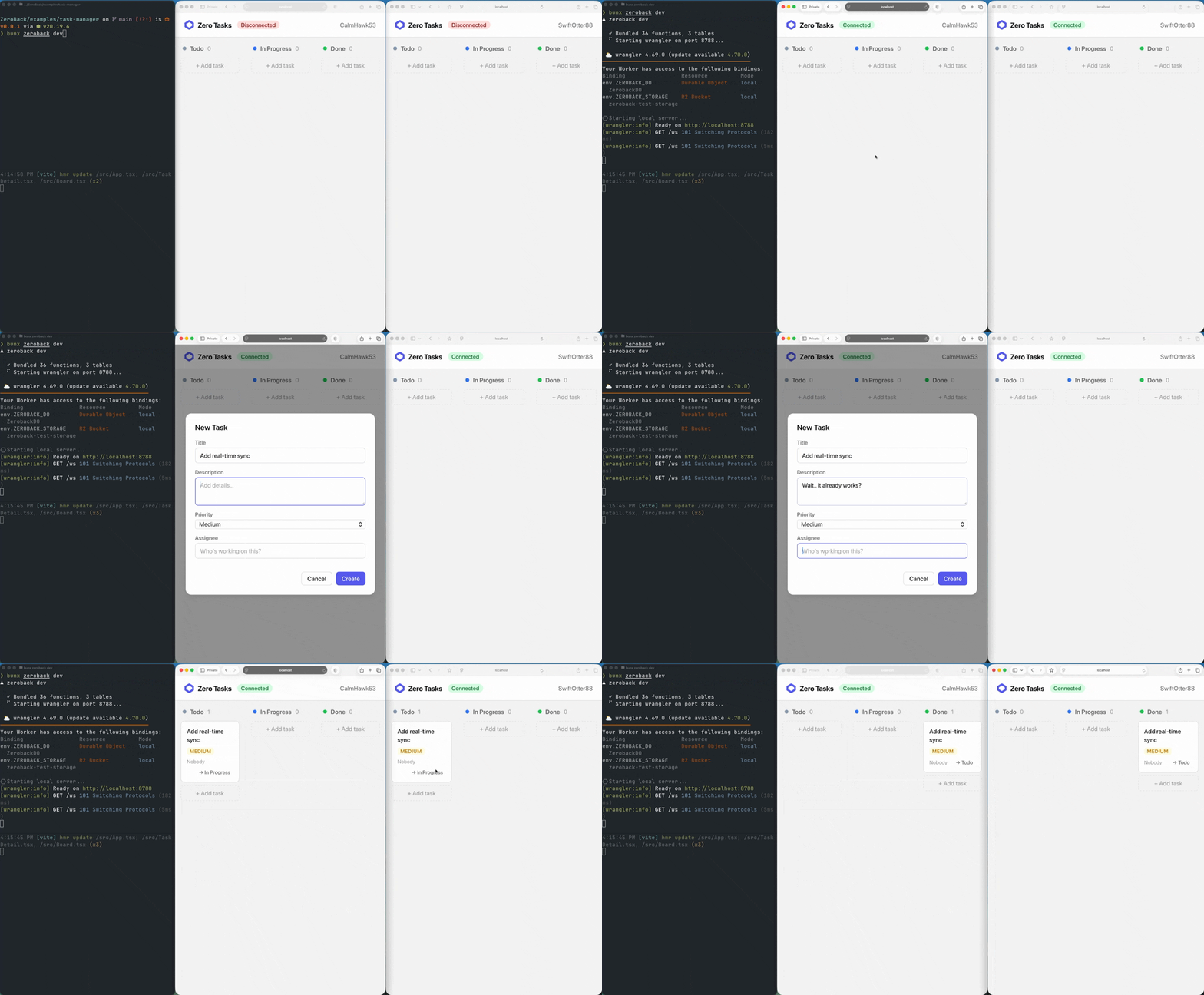
Developer Experience
Schema to screen\
in three steps
--------------
01
Define your schema Declare your tables, fields, and indexes in TypeScript. Zeroback generates types and SQL from your schema automatically.
02
Write functions Queries, mutations, and actions are plain TypeScript functions. They run on Cloudflare with full type safety and transactional guarantees.
03
Use from React Bind your UI to live data with a single hook. Queries re-render automatically when the underlying data changes — no polling or refetching.
zeroback/schema.ts
```
import { defineSchema, defineTable, v } from "@zeroback/server"
export const schema = defineSchema({
messages: defineTable({
channel: v.string(),
author: v.string(),
body: v.string(),
}).index("by_channel", ["channel"]),
})
```
zeroback/messages.ts
```
import { query, v } from "./_generated/server"
export const list = query({
args: { channel: v.string() },
handler: async (ctx, args) => {
return await ctx.db
.query("messages")
.withIndex("by_channel",
(q) => q.eq("channel", args.channel))
.collect()
},
})
```
src/Chat.tsx
```
import { useQuery, useMutation } from "@zeroback/react"
import { api } from "../zeroback/_generated/api"
function Chat({ channel }: { channel: string }) {
const messages = useQuery(api.messages.list,
{ channel }
)
const send = useMutation(api.messages.send)
// Auto-updates when anyone sends a message
// No polling. No refetch. No boilerplate.
}
```
Why Zeroback
Everything you need.\
Nothing in the way.
-------------------
⚡
### Real-Time Queries
Queries auto-subscribe over WebSocket. When data changes, affected clients update instantly.
🔒
### Type-Safe End-to-End
Schema and functions generate a typed API object. From database to React hook — zero gaps, zero guesswork.
🏗️
### Your Infrastructure
Runs on your Cloudflare account. Workers + Durable Objects + SQLite. Your data never leaves your control.
📡
### Offline-First
IndexedDB persistence. Your app renders from cache instantly, even before the WebSocket connects.
🧩
### Batteries Included
File storage, scheduled jobs, cron, full-text search, pagination. Everything you need, nothing you don't.
⚙️
### One Command Setup
npx @zeroback/cli init scaffolds your project. zeroback dev starts the server. You're building in under two minutes.
Architecture
One Durable Object.\
Everything you need.
--------------------
A single Durable Object gives you SQLite for persistence, WebSockets for real-time, and strong consistency by default. No distributed coordination. No cache invalidation.
React Client useQuery · useMutation
WebSocket
Worker Auth · CORS · Routing
Internal
Durable Object SQLite · Subscriptions · OCC
< 50ms Query latency
\~10 GB SQLite storage
1,000 Concurrent connections
MIT Open source
## Start building in two minutes
`npx @zeroback/cli init my-app`
[Read the docs](/getting-started/) [View on GitHub](https://github.com/zerodeploy-dev/zeroback)
# Authentication
> Bring your own authentication to Zeroback. Verify users in your Worker before they reach the Durable Object.
Zeroback does not (yet) include a built-in auth system. Instead, you **bring your own authentication** — verify users in your Worker’s `fetch()` handler before forwarding requests to the Durable Object.
Built-in auth is coming
We’re working on adding built-in authentication to Zeroback — session management, OAuth, and magic links, all running inside your Durable Object with zero external dependencies. Until then, the BYOA pattern described here is the recommended approach and will continue to be supported.
This keeps auth decoupled from the framework: use any provider (Clerk, Auth0, Lucia, WorkOS, cookie sessions, JWTs) and any verification strategy. Zeroback doesn’t care how you authenticate — it only needs the Worker to gate access.
## How It Works
[Section titled “How It Works”](#how-it-works)
```plaintext
┌────────────┐ ┌───────────────────┐ ┌────────────────┐
│ │ cookie/JWT │ │ forward │ │
│ Browser │ ─────────────→ │ Worker fetch() │ ─────────────→ │ ZerobackDO │
│ │ │ verify auth │ request │ (trusted) │
│ │ │ reject or forward│ │ │
└────────────┘ └───────────────────┘ └────────────────┘
```
The Worker acts as a gateway. Unauthenticated requests get a `401` and never reach the Durable Object. Authenticated requests are forwarded as-is.
## Setup
[Section titled “Setup”](#setup)
### 1. Write a verify function
[Section titled “1. Write a verify function”](#1-write-a-verify-function)
Create an `auth.ts` that verifies the incoming request. This example validates a session cookie against an external API via a [service binding](https://developers.cloudflare.com/workers/runtime-apis/bindings/service-bindings/):
auth.ts
```typescript
import type { Env } from "./index"
export type AuthResult =
| { ok: true; userId: string }
| { ok: false; error: string }
export async function verifyAuth(
request: Request,
env: Env
): Promise {
const cookie = request.headers.get("Cookie")
if (!cookie) {
return { ok: false, error: "Not authenticated" }
}
try {
// Call your auth service — service binding, JWT verify, etc.
const res = await env.AUTH_API.fetch(
new Request("https://auth.example.com/me", {
headers: { Cookie: cookie },
})
)
if (!res.ok) {
return { ok: false, error: "Not authenticated" }
}
const data = (await res.json()) as { id: string }
return { ok: true, userId: data.id }
} catch {
return { ok: false, error: "Auth service unavailable" }
}
}
```
**Other verification strategies:**
* **JWT**: Use `jose` or `@clerk/backend` to verify a JWT from the `Authorization` header. No external call needed.
* **Session cookie**: Look up a session token in KV or D1.
* **Service binding**: Forward the cookie to another Worker that owns auth (zero network roundtrip — shown above).
### 2. Gate requests in your Worker
[Section titled “2. Gate requests in your Worker”](#2-gate-requests-in-your-worker)
Your Worker’s `fetch()` handler verifies auth before forwarding to the Durable Object:
index.ts
```typescript
import { createZerobackDO } from "@zeroback/server/runtime"
import { functions, schema, httpRouter, cronJobsDef } from "./zeroback/_generated/manifest"
import { verifyAuth } from "./auth"
export const ZerobackDO = createZerobackDO({ functions, schema, httpRouter, cronJobsDef })
export interface Env {
ZEROBACK_DO: DurableObjectNamespace
AUTH_API: Fetcher // service binding to your auth worker
}
function getDOStub(env: Env): DurableObjectStub {
const doId = env.ZEROBACK_DO.idFromName("default")
return env.ZEROBACK_DO.get(doId)
}
export default {
async fetch(request: Request, env: Env): Promise {
const url = new URL(request.url)
// Public routes (no auth)
if (url.pathname === "/health") {
return new Response("ok")
}
// Verify auth
const auth = await verifyAuth(request, env)
if (!auth.ok) {
return new Response(
JSON.stringify({ error: auth.error }),
{ status: 401, headers: { "Content-Type": "application/json" } }
)
}
// Forward to Zeroback DO
const doStub = getDOStub(env)
return doStub.fetch(request)
},
}
```
This applies to **all** Zeroback traffic — WebSocket connections (`/ws`), the SSR query endpoint (`POST /query`), HTTP actions, and function calls. If the auth check fails, the request never reaches the Durable Object.
SSR and `preloadQuery`
`preloadQuery` calls `POST /query` from your server-side loader. Because the request originates on the server (not from a browser), it won’t carry the user’s cookies or tokens automatically. To authenticate SSR queries, forward a token from the loader context:
```ts
export const loader = createServerFn().handler(async ({ context }) => {
const preloaded = await preloadQuery(
ZEROBACK_URL,
api.tasks.list,
{},
{ headers: { Authorization: `Bearer ${context.token}` } } // forward auth
)
return { preloaded }
})
```
Your Worker’s `verifyAuth` function will then receive and validate that token before forwarding to the DO.
Note: the optional `headers` parameter for `preloadQuery` is not yet implemented — this is a preview of the planned API. For now, `preloadQuery` is unauthenticated, matching the current WebSocket transport.
### 3. Add CORS (if your frontend is on a different origin)
[Section titled “3. Add CORS (if your frontend is on a different origin)”](#3-add-cors-if-your-frontend-is-on-a-different-origin)
If your frontend and backend are on different origins, add CORS headers:
```typescript
function corsHeaders(origin: string): Record {
return {
"Access-Control-Allow-Origin": origin,
"Access-Control-Allow-Methods": "GET, POST, OPTIONS",
"Access-Control-Allow-Headers": "Content-Type, Authorization",
"Access-Control-Allow-Credentials": "true",
}
}
export default {
async fetch(request: Request, env: Env): Promise {
const origin = request.headers.get("Origin") ?? ""
// CORS preflight
if (request.method === "OPTIONS") {
return new Response(null, { status: 204, headers: corsHeaders(origin) })
}
// ... auth check ...
const response = await doStub.fetch(request)
// Add CORS headers to response
const newResponse = new Response(response.body, response)
for (const [key, value] of Object.entries(corsHeaders(origin))) {
newResponse.headers.set(key, value)
}
return newResponse
},
}
```
**Important:** Set `Access-Control-Allow-Credentials: "true"` so cookies are sent with cross-origin requests. Your frontend must also set `credentials: "include"` on fetch calls (the Zeroback client does this automatically for WebSocket connections).
## JWT Verification Example
[Section titled “JWT Verification Example”](#jwt-verification-example)
If your auth provider issues JWTs (Clerk, Auth0, Supabase), you can verify them directly in the Worker without an external call:
auth.ts
```typescript
import { jwtVerify, createRemoteJWKSet } from "jose"
const JWKS = createRemoteJWKSet(
new URL("https://your-app.clerk.accounts.dev/.well-known/jwks.json")
)
export async function verifyAuth(request: Request): Promise {
const token = request.headers.get("Authorization")?.replace("Bearer ", "")
if (!token) {
return { ok: false, error: "No token" }
}
try {
const { payload } = await jwtVerify(token, JWKS, {
issuer: "https://your-app.clerk.accounts.dev",
audience: "your-app",
})
return { ok: true, userId: payload.sub! }
} catch {
return { ok: false, error: "Invalid token" }
}
}
```
## Multi-Tenant Routing
[Section titled “Multi-Tenant Routing”](#multi-tenant-routing)
For multi-tenant apps, you can use the authenticated user to route to different Durable Objects:
```typescript
function getDOStub(env: Env, tenantId: string): DurableObjectStub {
const doId = env.ZEROBACK_DO.idFromName(tenantId)
return env.ZEROBACK_DO.get(doId)
}
export default {
async fetch(request: Request, env: Env): Promise {
const auth = await verifyAuth(request, env)
if (!auth.ok) {
return new Response("Unauthorized", { status: 401 })
}
// Route to tenant-specific DO
const doStub = getDOStub(env, auth.tenantId)
return doStub.fetch(request)
},
}
```
Each tenant gets its own Durable Object with isolated SQLite storage. Auth determines which DO handles the request.
## Summary
[Section titled “Summary”](#summary)
| Concern | Where it lives |
| -------------------------------- | ----------------------------------- |
| Authentication (who are you?) | Worker `fetch()` — your code |
| Transport (WebSocket, HTTP) | Zeroback runtime |
| Authorization (can you do this?) | Your Zeroback functions |
| Data isolation | DO routing (single or multi-tenant) |
The Worker is the security boundary. Everything behind it — queries, mutations, subscriptions — is trusted internal traffic.
# Why Zeroback
> I built Zeroback — an open-source, self-hosted Convex alternative running on Cloudflare Durable Objects. Real-time queries, type-safe codegen, your infrastructure.
*March 27, 2026* · By [Ran Yefet](https://x.com/ranyefet)
Cloudflare has everything you need to build a backend. Workers for compute. D1 for SQL. R2 for storage. Durable Objects for stateful coordination. I built an entire [hosting platform](https://zerodeploy.dev) on Cloudflare without a single external service.
But when I needed a real-time backend — database, subscriptions, type-safe functions — there was nothing that tied it all together. The infrastructure exists. The developer experience doesn’t.
If you want a backend today, you leave the ecosystem. Bolt on Supabase. Add Firebase. Your frontend runs on Cloudflare, your backend runs somewhere else. Two vendors, two bills, your data in someone else’s cloud.
I wanted an open-source, self-hosted real-time backend for Cloudflare. So I built one.
## The first attempt
[Section titled “The first attempt”](#the-first-attempt)
I knew [Convex](https://convex.dev). I loved the developer experience — reactive queries, type-safe functions, real-time by default. But my first attempt at a Cloudflare backend wasn’t Convex-inspired at all. It was Supabase-inspired.
I built a PostgREST-style API layer for D1 — Cloudflare’s SQLite database. REST endpoints, query parameters for filtering, the whole thing. It worked. You could CRUD data, do joins, run aggregates. Similar goals to what Zeroback is today: database, real-time, storage, auth — all on Cloudflare.
But it didn’t feel right.
The REST API was limited compared to writing actual query functions. Type safety was a constant concern — query params aren’t typed, and the gap between what you write and what the database returns was too wide. And real-time was the real problem. D1 is a serverless database — there’s no persistent connection, no way to push changes to clients. Bolting real-time onto D1 felt like fighting the architecture.
I shelved it. But the idea didn’t go away.
## The Durable Objects discovery
[Section titled “The Durable Objects discovery”](#the-durable-objects-discovery)
Then I found something I’d overlooked. Durable Objects come with built-in SQLite storage — the same SQLite that D1 is built on. And they support WebSockets natively.
That’s when it clicked.
A single Durable Object gives you a long-lived, single-threaded process with SQLite for persistence and WebSocket connections to every client. Queries, mutations, and subscriptions — all in one place. No distributed coordination. No cache invalidation across nodes. Strong consistency by default. And real-time isn’t bolted on — it’s the native model. The data and the connections live together.
I wasn’t sure it was possible at first. Could you build a real-time database with Convex’s developer experience on top of a single Durable Object? Would the performance hold up? Would the programming model work?
I started experimenting. And it worked.
## What Zeroback is
[Section titled “What Zeroback is”](#what-zeroback-is)
Zeroback is an open-source Convex alternative that runs on Cloudflare Durable Objects. You define a schema:
```typescript
import { defineSchema, defineTable, v } from "@zeroback/server";
export const schema = defineSchema({
messages: defineTable({
channel: v.string(),
author: v.string(),
body: v.string(),
}).index("by_channel", ["channel"]),
});
```
You write functions — plain TypeScript, fully typed:
```typescript
export const list = query({
args: { channel: v.string() },
handler: async (ctx, args) => {
return await ctx.db
.query("messages")
.withIndex("by_channel", (q) => q.eq("channel", args.channel))
.collect();
},
});
export const send = mutation({
args: { channel: v.string(), author: v.string(), body: v.string() },
handler: async (ctx, args) => {
await ctx.db.insert("messages", args);
},
});
```
You call them from React:
```tsx
function Chat({ channel }) {
const messages = useQuery(api.messages.list, { channel });
const sendMessage = useMutation(api.messages.send);
// messages auto-update when anyone sends a new message.
// no refetch, no polling, no WebSocket boilerplate.
}
```
The client connects over WebSocket. Queries auto-subscribe. When a mutation changes data, Zeroback figures out which queries are affected and pushes updated results to the right clients.
Not table-level invalidation — query-level. Posting to `#random` doesn’t trigger re-execution of subscriptions watching `#general`. That was the hardest problem to solve, and the one I’m most proud of.
Optimistic concurrency control handles conflicts automatically. If two mutations touch the same data, the second one retries. The client never sees a conflict. IndexedDB persistence means your app renders instantly from cache, even before the WebSocket connects.
## What’s real today
[Section titled “What’s real today”](#whats-real-today)
This isn’t a prototype. It’s 7 packages, a CLI, React and Solid.js bindings, and over 300 tests:
* **Real-time subscriptions** with query-level invalidation and diff suppression
* **Type-safe codegen** — schema and functions generate a typed API object, end-to-end from database to UI
* **Indexed queries**, compound indexes, full-text search, cursor-based pagination
* **File storage**, scheduled jobs, cron — backed by R2 and Durable Object alarms
* **Offline support** — IndexedDB persistence for instant renders and offline reads
I’m using it in production. I built an email client on Zeroback — real-time inbox with threads, labels, attachments, AI-powered classification. When an email arrives, every connected client sees it instantly. The entire backend is a single Durable Object.
## What’s honest
[Section titled “What’s honest”](#whats-honest)
Zeroback runs on a single Durable Object. That means real limits:
* **\~10 GB storage** (SQLite in a DO)
* **\~1,000 concurrent connections** (self-imposed, to keep latency predictable)
* **Single-threaded execution**
This is not a database for the next billion-user app. It’s a backend for apps where a team, a project, or a tenant needs real-time data with great DX and full control. Side projects, internal tools, SaaS per-tenant backends, collaborative apps, real-time dashboards.
If you need Postgres features, multi-region, or unlimited scale — use Supabase or Convex. They’re more mature and feature-complete. I’m not pretending otherwise.
But if you’re on Cloudflare and you’ve been waiting for a backend that feels right — or if you want a self-hosted Convex alternative on your own infrastructure — that’s what Zeroback is for.
## What’s next
[Section titled “What’s next”](#whats-next)
Authentication is the biggest missing piece. Right now you bring your own (Clerk, Auth0, etc.). Built-in auth — email/password, OAuth, magic links — is the top priority. I’ll build it when users confirm they need it, not before.
The code is open source, MIT licensed, and on [GitHub](https://github.com/zerodeploy-dev/zeroback).
## How I built it
[Section titled “How I built it”](#how-i-built-it)
I built Zeroback in a week. Entirely with Claude Code.
I know how that sounds. A week for 7 packages, a CLI, real-time subscriptions, codegen, optimistic concurrency, offline support, React hooks, Solid bindings, 300+ tests.
It’s true, and it’s the thing that made me take the leap from engineering manager back to builder. I’ve been managing for four years. Good at it. But I missed building. The kind of building where you close your laptop at midnight and can’t wait to open it again the next day.
LLMs didn’t give me the vision for Zeroback — I’d been thinking about real-time backends and Cloudflare’s potential for a long time. What they gave me is leverage. The kind of leverage that lets a solo founder with a full-time job and two kids build at a pace that used to require a team.
I’m not going to pretend Claude Code wrote perfect code on the first try. It didn’t. I designed the architecture, made every trade-off decision, and debugged the hard problems. I tested everything — over 300 tests across the codebase. But the velocity is real. And it changes what’s possible for one person working after hours.
`npx @zeroback/cli init` and you’ll have a working app in under two minutes.
I’m building this in public. If you’re on Cloudflare and you’ve been waiting for a backend that feels right — [give it a try](https://github.com/zerodeploy-dev/zeroback). And if you want to follow the journey: [@ranyefet on X](https://x.com/ranyefet).
# CLI
> Scaffold, develop, deploy, and test your Zeroback backend from the terminal.
The `zeroback` CLI manages development, code generation, and deployment of your Zeroback application.
## Commands
[Section titled “Commands”](#commands)
### `zeroback init [dir]`
[Section titled “zeroback init \[dir\]”](#zeroback-init-dir)
Scaffold a new Zeroback project.
```plaintext
zeroback init [dir]
```
| Argument | Default | Description |
| -------- | ------- | ----------------- |
| `dir` | `"."` | Project directory |
**Creates:**
| File | Description |
| ------------------------------- | ------------------------------------------------------------ |
| `zeroback/schema.ts` | Starter schema with a `tasks` table |
| `zeroback/tasks.ts` | Example query and mutation functions |
| `zeroback/_generated/server.ts` | Stub file so imports resolve before first codegen |
| `wrangler.toml` | Cloudflare Workers configuration (if not present) |
| `.zeroback/entry.ts` | Worker entry point — imports manifest and wires to runtime |
| `.gitignore` | Ignores `.zeroback/*` except `entry.ts` (creates or appends) |
Skips scaffolding if the `zeroback/` directory already exists.
**Example:**
```bash
mkdir my-app && cd my-app
npm init -y
npx @zeroback/cli init
```
### `zeroback dev [functionsDir]`
[Section titled “zeroback dev \[functionsDir\]”](#zeroback-dev-functionsdir)
Start the development server with hot reload.
```plaintext
zeroback dev [functionsDir]
```
| Argument | Default | Description |
| -------------- | -------------- | -------------------------------- |
| `functionsDir` | `"./zeroback"` | Path to your functions directory |
**Behavior:**
1. Scaffolds `.zeroback/entry.ts` if missing (worker entry point)
2. Analyzes schema and functions, generates types and `_generated/manifest.ts`
3. Starts Wrangler dev server on **port 8788**
4. Watches `zeroback/` for changes (ignoring `_generated/` and `node_modules/`)
5. On file changes: re-analyzes, re-generates manifest
**Generated files:**
| File | Description |
| ---------------------------------- | ------------------------------------------------------ |
| `zeroback/_generated/api.ts` | Typed function references (`api.tasks.create`, etc.) |
| `zeroback/_generated/server.ts` | Typed function factories bound to your `DataModel` |
| `zeroback/_generated/dataModel.ts` | Standalone `DataModel` type |
| `zeroback/_generated/manifest.ts` | Function registrations, schema, HTTP router, cron jobs |
**Example:**
```bash
npx @zeroback/cli dev
# or with a custom functions directory
npx @zeroback/cli dev ./src/zeroback
```
### `zeroback deploy [functionsDir] [--dry-run] [-- wranglerArgs...]`
[Section titled “zeroback deploy \[functionsDir\] \[--dry-run\] \[-- wranglerArgs...\]”](#zeroback-deploy-functionsdir---dry-run----wranglerargs)
Build and deploy to Cloudflare.
```plaintext
zeroback deploy [functionsDir] [--dry-run] [-- wranglerArgs...]
```
| Argument | Default | Description |
| -------------- | -------------- | --------------------------------------------------- |
| `functionsDir` | `"./zeroback"` | Path to your functions directory |
| `--dry-run` | `false` | Run codegen only, skip wrangler deploy |
| `-- args...` | — | Extra arguments passed through to `wrangler deploy` |
**Prerequisites:**
You must be authenticated with Cloudflare before deploying. Either:
* Run `npx wrangler login` to log in via your browser (recommended for local development)
* Set the `CLOUDFLARE_API_TOKEN` environment variable (recommended for CI/CD)
The deploy command will check authentication before deploying and provide guidance if you’re not logged in.
**Behavior:**
1. Runs codegen (same as `zeroback dev` build step)
2. If `--dry-run`: stops after codegen
3. Verifies Cloudflare authentication
4. Runs `wrangler deploy` with any extra arguments
Requires `wrangler.toml` at the project root.
**Examples:**
```bash
# First-time setup: log in to Cloudflare
npx wrangler login
# Deploy
npx @zeroback/cli deploy
# Dry run (codegen only)
npx @zeroback/cli deploy --dry-run
# Pass args to wrangler
npx @zeroback/cli deploy -- --env production
# CI/CD: use an API token instead of interactive login
CLOUDFLARE_API_TOKEN=your-token npx @zeroback/cli deploy
```
### `zeroback codegen [functionsDir]`
[Section titled “zeroback codegen \[functionsDir\]”](#zeroback-codegen-functionsdir)
Run code generation without starting a dev server.
```plaintext
zeroback codegen [functionsDir]
```
| Argument | Default | Description |
| -------------- | -------------- | -------------------------------- |
| `functionsDir` | `"./zeroback"` | Path to your functions directory |
Runs the same build step as `zeroback dev` (analyze, codegen, bundle) but exits immediately. Useful for CI or pre-commit hooks.
```bash
npx @zeroback/cli codegen
```
### `zeroback reset`
[Section titled “zeroback reset”](#zeroback-reset)
Reset the local development database.
```plaintext
zeroback reset
```
Deletes the `.wrangler/state` directory, which contains all local Durable Object and SQLite data. Restart `zeroback dev` afterwards to start with a fresh database.
```bash
npx @zeroback/cli reset
```
### `zeroback run [jsonArgs] [--url ]`
[Section titled “zeroback run \ \[jsonArgs\] \[--url \\]”](#zeroback-run-functionname-jsonargs---url-url)
Invoke a function (query, mutation, or action) on the running dev server.
```plaintext
zeroback run [jsonArgs] [--url ]
```
| Argument | Default | Description |
| -------------- | ----------------------- | ----------------------------------- |
| `functionName` | *(required)* | Function to call, e.g. `tasks:list` |
| `jsonArgs` | `{}` | JSON object of arguments |
| `--url` | `http://localhost:8788` | URL of the Zeroback server |
**Behavior:**
1. Sends a POST request to the server’s `/__admin/run` endpoint
2. Executes the function and prints the JSON result to stdout
3. Both public and internal functions can be called (useful for debugging)
**Examples:**
```bash
# Run a query
npx @zeroback/cli run tasks:list
# Run a mutation with arguments
npx @zeroback/cli run tasks:create '{"title": "Buy groceries", "projectId": "proj:abc", "status": "todo"}'
# Run an internal function
npx @zeroback/cli run tasks:countInternal '{"projectId": "proj:abc"}'
# Target a deployed server
npx @zeroback/cli run tasks:list --url https://my-worker.example.com
```
## Project Structure
[Section titled “Project Structure”](#project-structure)
After running `zeroback init` and `zeroback dev`, your project looks like:
```plaintext
my-app/
zeroback/
schema.ts # Your schema definition
tasks.ts # Your function files
_generated/
api.ts # Generated: typed function references
server.ts # Generated: typed factories + DataModel
dataModel.ts # Generated: DataModel type
.zeroback/
entry.ts # Scaffolded by init, user-owned — imports manifest + wires to runtime
wrangler.toml # Cloudflare Workers configuration
```
**Key conventions:**
* Function files go in `zeroback/` (any `.ts` file except `schema.ts` and files starting with `_`)
* Nested directories are supported: `zeroback/utils/stats.ts` produces function names like `"utils/stats:functionName"`
* Schema is always `zeroback/schema.ts`
* Never edit files in `zeroback/_generated/` — they are overwritten on every build
* `.zeroback/entry.ts` is user-owned and can be customized (e.g. to add middleware or env bindings)
# Client
> Type-safe WebSocket client with auto-reconnect, optimistic updates, and offline persistence.
The `@zeroback/client` package provides `ZerobackClient` — a WebSocket-based client for connecting to your Zeroback backend from the browser or any JavaScript environment.
## Installation
[Section titled “Installation”](#installation)
```bash
npm install @zeroback/client
```
## ZerobackClient
[Section titled “ZerobackClient”](#zerobackclient)
### Constructor
[Section titled “Constructor”](#constructor)
```ts
import { ZerobackClient } from "@zeroback/client";
const client = new ZerobackClient(url: string, options?: ZerobackClientOptions);
```
| Parameter | Type | Description |
| --------- | ----------------------- | -------------------------------------- |
| `url` | `string` | WebSocket URL of your Zeroback backend |
| `options` | `ZerobackClientOptions` | Optional configuration |
### `ZerobackClientOptions`
[Section titled “ZerobackClientOptions”](#zerobackclientoptions)
```ts
interface ZerobackClientOptions {
persistence?: boolean | PersistenceAdapter;
maxCacheAge?: number;
schemaVersion?: string;
backoff?: BackoffOptions;
heartbeatIntervalMs?: number;
requestTimeoutMs?: number;
}
```
| Field | Type | Default | Description |
| --------------------- | ------------------------------- | ---------------------- | -------------------------------------------------------------------------------------------------- |
| `persistence` | `boolean \| PersistenceAdapter` | `undefined` (disabled) | Enable IndexedDB caching. Pass `true` for the built-in adapter, or a custom `PersistenceAdapter`. |
| `maxCacheAge` | `number` | `604800000` (7 days) | Maximum cache age in milliseconds. Entries older than this are discarded on hydration. |
| `schemaVersion` | `string` | `undefined` | When changed, the entire cache is cleared. Use this to invalidate stale data after schema changes. |
| `backoff` | `BackoffOptions` | See below | Configure reconnection backoff behavior. |
| `heartbeatIntervalMs` | `number` | `30000` (30s) | How often the client sends a ping to keep the connection alive. |
| `requestTimeoutMs` | `number` | `60000` (60s) | How long to wait for a mutation/action response before timing out. |
#### `BackoffOptions`
[Section titled “BackoffOptions”](#backoffoptions)
```ts
interface BackoffOptions {
baseMs?: number; // Default: 1000
maxMs?: number; // Default: 30000
maxAttempts?: number; // Default: 5
}
```
When persistence is **disabled** (default), the client connects immediately on construction. When persistence is **enabled**, you must call `client.init()` before using the client.
## Methods
[Section titled “Methods”](#methods)
### `client.init()`
[Section titled “client.init()”](#clientinit)
Initialize the client with persistence. Hydrates cached data from IndexedDB, connects the WebSocket, and replays any offline mutations.
```ts
await client.init(): Promise
```
**Only needed when `persistence` is enabled.** Without persistence, the client connects automatically on construction.
```ts
const client = new ZerobackClient(url, { persistence: true });
await client.init(); // hydrate cache, connect, replay offline mutations
```
### `client.subscribe(fnName, args, callback?)`
[Section titled “client.subscribe(fnName, args, callback?)”](#clientsubscribefnname-args-callback)
Subscribe to a query. The server pushes updates whenever the query result changes.
```ts
client.subscribe(
fnName: string,
args: unknown,
callback?: (data: unknown) => void
): () => void
```
| Parameter | Type | Description |
| ---------- | ------------------------- | --------------------------------------------- |
| `fnName` | `string` | Function name (e.g., `"tasks:listByProject"`) |
| `args` | `unknown` | Arguments to pass to the query |
| `callback` | `(data: unknown) => void` | Optional callback invoked on every update |
**Returns:** An unsubscribe function. Call it to stop the subscription.
```ts
const unsubscribe = client.subscribe("tasks:listByProject", { projectId: "proj123" });
// ... later
unsubscribe();
```
### `client.watchQuery(key, listener)`
[Section titled “client.watchQuery(key, listener)”](#clientwatchquerykey-listener)
Watch for changes to a specific query key in the centralized store. Used internally by React hooks via `useSyncExternalStore`.
```ts
client.watchQuery(key: QueryKey, listener: () => void): () => void
```
| Parameter | Type | Description |
| ---------- | ------------ | ------------------------------------- |
| `key` | `QueryKey` | Query key from `QueryStore.makeKey()` |
| `listener` | `() => void` | Called when the query result changes |
**Returns:** An unsubscribe function.
### `client.getQueryResult(key)`
[Section titled “client.getQueryResult(key)”](#clientgetqueryresultkey)
Get the current result for a query key (merged base + optimistic update layers).
```ts
client.getQueryResult(key: QueryKey): unknown | undefined
```
Returns `undefined` if no result is available yet.
### `client.hasServerResult(key)`
[Section titled “client.hasServerResult(key)”](#clienthasserverresultkey)
Whether this query key has been confirmed by the server (not just loaded from the persistence cache).
```ts
client.hasServerResult(key: QueryKey): boolean
```
### `client.mutation(fnName, args, opts?)`
[Section titled “client.mutation(fnName, args, opts?)”](#clientmutationfnname-args-opts)
Execute a mutation. Mutations are queued and execute sequentially in order.
```ts
client.mutation(
fnName: string,
args: unknown,
opts?: { optimisticUpdate?: (store: LocalStore) => void }
): Promise
```
| Parameter | Type | Description |
| ----------------------- | ----------------------------- | ----------------------------------------------------------- |
| `fnName` | `string` | Mutation function name |
| `args` | `unknown` | Arguments to pass |
| `opts.optimisticUpdate` | `(store: LocalStore) => void` | Optional callback to modify local query results immediately |
**Returns:** The mutation’s return value.
#### Optimistic Updates
[Section titled “Optimistic Updates”](#optimistic-updates)
Optimistic updates modify local query results immediately, before the server confirms the mutation. The optimistic layer is removed once the server responds.
```ts
await client.mutation("tasks:create", { title: "New task", ... }, {
optimisticUpdate: (store) => {
const current = store.getQuery("tasks:listByProject", { projectId: "proj123" });
if (Array.isArray(current)) {
store.setQuery("tasks:listByProject", { projectId: "proj123" }, [
{ title: "New task", _id: "temp", _creationTime: Date.now() },
...current,
]);
}
},
});
```
#### `LocalStore`
[Section titled “LocalStore”](#localstore)
```ts
interface LocalStore {
getQuery(ref: { _name: string } | string, args?: unknown): unknown | undefined;
setQuery(ref: { _name: string } | string, args: unknown, value: unknown): void;
}
```
| Method | Description |
| ---------------------------- | ---------------------------------------------------------------------------------------- |
| `getQuery(ref, args?)` | Read the current result for a query. `ref` can be a function reference or a string name. |
| `setQuery(ref, args, value)` | Set the local result for a query. |
### `client.action(fnName, args)`
[Section titled “client.action(fnName, args)”](#clientactionfnname-args)
Execute an action.
```ts
client.action(fnName: string, args: unknown): Promise
```
| Parameter | Type | Description |
| --------- | --------- | -------------------- |
| `fnName` | `string` | Action function name |
| `args` | `unknown` | Arguments to pass |
**Returns:** The action’s return value.
### `client.onConnectionChange(listener)`
[Section titled “client.onConnectionChange(listener)”](#clientonconnectionchangelistener)
Listen for connection state changes.
```ts
client.onConnectionChange(listener: (state: ConnectionState) => void): () => void
```
**Returns:** An unsubscribe function.
### `client.close()`
[Section titled “client.close()”](#clientclose)
Close the WebSocket connection and clean up.
```ts
client.close(): void
```
## Properties
[Section titled “Properties”](#properties)
### `client.connectionState`
[Section titled “client.connectionState”](#clientconnectionstate)
The current connection state.
```ts
client.connectionState: ConnectionState
```
```ts
type ConnectionState = "connecting" | "connected" | "disconnected";
```
| State | Description |
| ---------------- | --------------------------------------------------------------- |
| `"connecting"` | WebSocket is being established |
| `"connected"` | Connected and ready |
| `"disconnected"` | Not connected (will auto-reconnect unless `close()` was called) |
### `client.queryStore`
[Section titled “client.queryStore”](#clientquerystore)
The centralized query result cache (read-only access).
```ts
client.queryStore: QueryStore
```
#### `QueryStore.makeKey(fnName, args)`
[Section titled “QueryStore.makeKey(fnName, args)”](#querystoremakekeyfnname-args)
Create a deterministic cache key from a function name and arguments.
```ts
static makeKey(fnName: string, args: unknown): string
```
## Connection Behavior
[Section titled “Connection Behavior”](#connection-behavior)
* **Auto-reconnect:** The client automatically reconnects with exponential backoff when disconnected.
* **Message queuing:** Messages sent while disconnected are queued and flushed on reconnect.
* **Re-subscribe on reconnect:** All active subscriptions are automatically re-established.
* **Server reset handling:** If the server loses subscription state (e.g., after hibernation), the client re-subscribes all active queries.
## Persistence
[Section titled “Persistence”](#persistence)
When enabled, the client caches query results in IndexedDB for instant display on subsequent page loads.
```ts
const client = new ZerobackClient("wss://example.com/ws", {
persistence: true, // Use built-in IndexedDB adapter
maxCacheAge: 86400000, // 1 day cache
schemaVersion: "v2", // Clear cache on schema change
});
await client.init();
```
### Custom Persistence Adapter
[Section titled “Custom Persistence Adapter”](#custom-persistence-adapter)
Implement the `PersistenceAdapter` interface for custom storage backends:
```ts
interface PersistenceAdapter {
getAll(): Promise>;
set(key: string, entry: CachedEntry): Promise;
delete(key: string): Promise;
clear(): Promise;
}
interface CachedEntry {
result: unknown;
timestamp: number;
}
```
### Offline Mutation Replay
[Section titled “Offline Mutation Replay”](#offline-mutation-replay)
When persistence is enabled, mutations are persisted to IndexedDB before being sent. If the client disconnects before the server confirms, the mutations are replayed on the next `init()` call.
## SSR — `preloadQuery`
[Section titled “SSR — preloadQuery”](#ssr--preloadquery)
`preloadQuery` fetches a query result over HTTP (no WebSocket) for use during server-side rendering. Import it from `@zeroback/client` and call it in your server-side loader. Pass the result to `usePreloadedQuery` in the client component.
See the [React Hooks — SSR](/react#ssr--server-side-rendering) guide for the full pattern and a TanStack Start example.
# Database
> Query and mutate data with indexed lookups, full-text search, and cursor-based pagination.
The database API is available through `ctx.db` in queries and mutations. Queries receive a `DatabaseReader` (read-only), while mutations receive a `DatabaseWriter` (read + write).
## DatabaseReader
[Section titled “DatabaseReader”](#databasereader)
Available as `ctx.db` in `query` and `internalQuery` handlers.
### `db.query(table)`
[Section titled “db.query(table)”](#dbquerytable)
Start a query on a table. Returns a [`QueryBuilder`](#querybuilder) for chaining.
```ts
db.query(table: T): QueryBuilder
```
```ts
const tasks = await ctx.db.query("tasks").collect();
```
### `db.get(id)`
[Section titled “db.get(id)”](#dbgetid)
Get a single document by its `_id`.
```ts
db.get(id: Id): Promise
```
Returns `null` if the document does not exist.
```ts
const task = await ctx.db.get("tasks:01HXZ...");
```
### `db.getMany(...ids)`
[Section titled “db.getMany(...ids)”](#dbgetmanyids)
Get multiple documents by their `_id`s in a single call.
```ts
db.getMany(...ids: Id[]): Promise, DataModel[T] | null>>
```
Returns a `Map` where missing documents are `null`.
```ts
const results = await ctx.db.getMany("tasks:01A...", "tasks:01B...");
// results.get("tasks:01A...") => document or null
```
## DatabaseWriter
[Section titled “DatabaseWriter”](#databasewriter)
Available as `ctx.db` in `mutation` and `internalMutation` handlers. Extends `DatabaseReader` with write methods.
### `db.insert(table, doc)`
[Section titled “db.insert(table, doc)”](#dbinserttable-doc)
Insert a new document. Returns the auto-generated `_id`.
```ts
db.insert(
table: T,
doc: Omit
): Promise>
```
The `_id` (ULID-based, format `"tableName:ULID"`) and `_creationTime` (Unix ms timestamp) are generated automatically.
```ts
const id = await ctx.db.insert("tasks", {
title: "Fix bug",
status: "todo",
priority: "high",
projectId: "projects:01HXZ...",
});
// id => "tasks:01HXZ..."
```
### `db.patch(id, fields)`
[Section titled “db.patch(id, fields)”](#dbpatchid-fields)
Partially update a document. Only the specified fields are changed; all other fields are preserved.
```ts
db.patch(
id: Id,
fields: Partial>
): Promise
```
```ts
await ctx.db.patch(taskId, { status: "done", priority: "low" });
```
### `db.replace(id, doc)`
[Section titled “db.replace(id, doc)”](#dbreplaceid-doc)
Replace a document’s entire contents. The `_id` and `_creationTime` are preserved; all other fields are replaced.
```ts
db.replace(
id: Id,
doc: Omit
): Promise
```
```ts
await ctx.db.replace(taskId, {
title: "New title",
status: "todo",
priority: "medium",
projectId: "projects:01HXZ...",
});
```
### `db.delete(id)`
[Section titled “db.delete(id)”](#dbdeleteid)
Delete a document by its ID.
```ts
db.delete(id: Id): Promise
```
```ts
await ctx.db.delete(taskId);
```
## QueryBuilder
[Section titled “QueryBuilder”](#querybuilder)
Created by `ctx.db.query("tableName")`. Methods are chainable (except terminal methods which execute the query).
### Chainable Methods
[Section titled “Chainable Methods”](#chainable-methods)
#### `.withIndex(indexName, fn?)`
[Section titled “.withIndex(indexName, fn?)”](#withindexindexname-fn)
Use a named index for efficient queries. Cannot be combined with `.search()`.
```ts
.withIndex(indexName: string, fn?: (q: IndexRangeBuilder) => IndexRangeBuilder): this
```
The optional callback configures range constraints on index fields.
```ts
// Use index without constraints (scan in index order)
ctx.db.query("tasks").withIndex("by_id").order("desc").take(50);
// Equality match
ctx.db.query("tasks")
.withIndex("by_project", (q) => q.eq("projectId", "proj123"))
.collect();
// Compound index
ctx.db.query("tasks")
.withIndex("by_project_status", (q) =>
q.eq("projectId", "proj123").eq("status", "active")
)
.collect();
// Range query
ctx.db.query("events")
.withIndex("by_date", (q) =>
q.gte("date", startDate).lt("date", endDate)
)
.collect();
```
#### `.search(field, query)`
[Section titled “.search(field, query)”](#searchfield-query)
Full-text search on a search-indexed field. Cannot be combined with `.withIndex()`.
```ts
.search(field: string, query: string): this
```
Results are ordered by relevance (FTS5 rank). Custom `.order()` is ignored when `.search()` is active.
Supports FTS5 match syntax: terms, phrases (`"fix bug"`), prefix queries (`fix*`), and boolean operators (`fix AND bug`, `fix OR patch`).
```ts
// Basic search
ctx.db.query("tasks").search("title", "fix bug").take(10);
// Search with filter
ctx.db.query("tasks")
.search("title", "fix bug")
.filter((q) => q.eq(q.field("projectId"), "proj123"))
.take(10);
```
#### `.filter(fn)`
[Section titled “.filter(fn)”](#filterfn)
Apply a filter expression to results. All filters are compiled to SQL `WHERE` clauses for efficiency.
```ts
.filter(fn: (q: FilterBuilder) => FilterExpression): this
```
See [FilterBuilder](#filterbuilder) for available operators.
```ts
ctx.db.query("tasks")
.filter((q) => q.and(
q.eq(q.field("status"), "active"),
q.gte(q.field("score"), 100)
))
.collect();
```
#### `.order(direction)`
[Section titled “.order(direction)”](#orderdirection)
Set the sort direction.
```ts
.order(direction: "asc" | "desc"): this
```
Default: `"asc"`.
#### `.orderBy(field, direction?)`
[Section titled “.orderBy(field, direction?)”](#orderbyfield-direction)
Order by a specific field.
```ts
.orderBy(field: string, direction?: "asc" | "desc"): this
```
Default direction: `"asc"`.
### Terminal Methods
[Section titled “Terminal Methods”](#terminal-methods)
These execute the query and return results.
#### `.collect()`
[Section titled “.collect()”](#collect)
Fetch all matching documents.
```ts
.collect(): Promise
```
```ts
const allTasks = await ctx.db.query("tasks").collect();
```
#### `.first()`
[Section titled “.first()”](#first)
Fetch the first matching document, or `null` if no results.
```ts
.first(): Promise
```
```ts
const user = await ctx.db.query("users")
.filter((q) => q.eq(q.field("email"), "alice@example.com"))
.first();
```
#### `.unique()`
[Section titled “.unique()”](#unique)
Fetch exactly one document. Throws if zero or more than one result.
```ts
.unique(): Promise
```
Throws `"Expected exactly one result, got none"` or `"Expected exactly one result, got multiple"`.
#### `.take(n)`
[Section titled “.take(n)”](#taken)
Fetch at most `n` documents.
```ts
.take(n: number): Promise
```
```ts
const recent = await ctx.db.query("tasks").order("desc").take(10);
```
#### `.paginate(opts)`
[Section titled “.paginate(opts)”](#paginateopts)
Cursor-based pagination. Returns a page of results with a cursor for the next page.
```ts
.paginate(opts: { cursor: string | null; numItems: number }): Promise>
```
| Parameter | Type | Description |
| --------------- | ---------------- | --------------------------------------------------------- |
| `opts.cursor` | `string \| null` | Cursor from a previous page, or `null` for the first page |
| `opts.numItems` | `number` | Maximum number of documents to return |
**Returns:**
```ts
interface PaginationResult {
page: Doc[]; // Documents for this page
continueCursor: string | null; // Cursor for the next page, null when done
isDone: boolean; // true if there are no more results
}
```
```ts
// First page
const { page, continueCursor, isDone } = await ctx.db
.query("messages")
.withIndex("by_channel", (q) => q.eq("channel", "general"))
.order("desc")
.paginate({ cursor: null, numItems: 20 });
// Next page
const page2 = await ctx.db
.query("messages")
.withIndex("by_channel", (q) => q.eq("channel", "general"))
.order("desc")
.paginate({ cursor: continueCursor, numItems: 20 });
```
## IndexRangeBuilder
[Section titled “IndexRangeBuilder”](#indexrangebuilder)
Used inside the `.withIndex()` callback. All methods are chainable.
| Method | Signature | Description |
| --------------------- | ----------------------------------------- | --------------------- |
| `q.eq(field, value)` | `(field: string, value: unknown) => this` | Equality match |
| `q.gt(field, value)` | `(field: string, value: unknown) => this` | Greater than |
| `q.gte(field, value)` | `(field: string, value: unknown) => this` | Greater than or equal |
| `q.lt(field, value)` | `(field: string, value: unknown) => this` | Less than |
| `q.lte(field, value)` | `(field: string, value: unknown) => this` | Less than or equal |
For compound indexes, chain equality constraints on leading fields, then optionally a range on the last field:
```ts
// Compound index: ["projectId", "status"]
.withIndex("by_project_status", (q) =>
q.eq("projectId", "proj123").eq("status", "active")
)
// Compound index with range on last field: ["projectId", "date"]
.withIndex("by_project_date", (q) =>
q.eq("projectId", "proj123").gte("date", startDate).lt("date", endDate)
)
```
## FilterBuilder
[Section titled “FilterBuilder”](#filterbuilder)
Used inside the `.filter()` callback. Provides comparison and logical operators.
### Field References
[Section titled “Field References”](#field-references)
```ts
q.field(key: keyof Doc): Expression
```
Reference a document field. Required on at least one side of a comparison.
### Comparison Operators
[Section titled “Comparison Operators”](#comparison-operators)
All comparisons accept `Expression | string | number | boolean | null`. Literal values are auto-wrapped.
| Method | Signature | Description |
| ------------- | ------------------------------------------------------------------ | --------------------- |
| `q.eq(a, b)` | `(a: ExpressionOrValue, b: ExpressionOrValue) => FilterExpression` | Equal |
| `q.neq(a, b)` | `(a: ExpressionOrValue, b: ExpressionOrValue) => FilterExpression` | Not equal |
| `q.lt(a, b)` | `(a: ExpressionOrValue, b: ExpressionOrValue) => FilterExpression` | Less than |
| `q.lte(a, b)` | `(a: ExpressionOrValue, b: ExpressionOrValue) => FilterExpression` | Less than or equal |
| `q.gt(a, b)` | `(a: ExpressionOrValue, b: ExpressionOrValue) => FilterExpression` | Greater than |
| `q.gte(a, b)` | `(a: ExpressionOrValue, b: ExpressionOrValue) => FilterExpression` | Greater than or equal |
### Logical Operators
[Section titled “Logical Operators”](#logical-operators)
| Method | Signature | Description |
| ----------------- | ---------------------------------------------------- | ----------- |
| `q.and(...exprs)` | `(...exprs: FilterExpression[]) => FilterExpression` | Logical AND |
| `q.or(...exprs)` | `(...exprs: FilterExpression[]) => FilterExpression` | Logical OR |
| `q.not(expr)` | `(expr: FilterExpression) => FilterExpression` | Logical NOT |
### Filter Examples
[Section titled “Filter Examples”](#filter-examples)
```ts
// Simple equality
.filter((q) => q.eq(q.field("status"), "active"))
// Multiple conditions
.filter((q) => q.and(
q.eq(q.field("status"), "active"),
q.gte(q.field("score"), 100),
q.neq(q.field("assignee"), null)
))
// OR condition
.filter((q) => q.or(
q.eq(q.field("priority"), "high"),
q.eq(q.field("priority"), "critical")
))
// NOT
.filter((q) => q.not(q.eq(q.field("status"), "archived")))
```
## Indexes vs Filters
[Section titled “Indexes vs Filters”](#indexes-vs-filters)
Both `.withIndex()` and `.filter()` narrow query results, but they work differently:
| | `.withIndex()` | `.filter()` |
| --------------- | ------------------------------------------- | ------------------------------------- |
| **Mechanism** | Uses a B-tree index for O(log n) lookups | Compiles to SQL `WHERE` clause |
| **Declaration** | Must be declared in schema with `.index()` | No schema declaration needed |
| **Performance** | Most efficient for equality + range queries | Efficient for arbitrary conditions |
| **Operators** | `eq`, `gt`, `gte`, `lt`, `lte` | All comparison + `and`/`or`/`not` |
| **Combinable** | No (one index per query) | Yes (can combine with `.withIndex()`) |
Best practice: use `.withIndex()` for primary access patterns, and `.filter()` for additional conditions.
## Full-Text Search
[Section titled “Full-Text Search”](#full-text-search)
Declare search indexes in your schema:
```ts
defineTable({
title: v.string(),
body: v.string(),
}).searchIndex("search_title", { searchField: "title" })
```
Query with `.search()`:
```ts
// Basic search
await ctx.db.query("tasks").search("title", "fix bug").take(10);
// With additional filter
await ctx.db.query("tasks")
.search("title", "fix bug")
.filter((q) => q.eq(q.field("projectId"), "proj123"))
.take(10);
```
### Search Behavior
[Section titled “Search Behavior”](#search-behavior)
* Powered by SQLite FTS5 with external content tables (zero extra storage overhead)
* Results are ordered by relevance — custom `.order()` is ignored when `.search()` is active
* `.search()` and `.withIndex()` are mutually exclusive
* Supports FTS5 syntax: terms, phrases, prefix queries, boolean operators
* Search indexes are automatically maintained via database triggers
### Subscription Behavior
[Section titled “Subscription Behavior”](#subscription-behavior)
Search queries use **conservative invalidation**: any write to the table triggers re-execution, since FTS relevance ranking makes fine-grained overlap detection impractical.
# Deployment
> Deploy your Zeroback backend to Cloudflare Workers.
Zeroback deploys to Cloudflare Workers with Durable Objects and SQLite. This guide walks through everything you need to go from local development to production.
## Prerequisites
[Section titled “Prerequisites”](#prerequisites)
* A [Cloudflare account](https://dash.cloudflare.com/sign-up) (free tier works)
* [Wrangler](https://developers.cloudflare.com/workers/wrangler/) installed (auto-fetched by `npx`/`bunx` if not)
## Authentication
[Section titled “Authentication”](#authentication)
Before deploying, authenticate with Cloudflare:
**Interactive (local development):**
* npm
```bash
npx wrangler login
```
* bun
```bash
bunx wrangler login
```
* pnpm
```bash
pnpx wrangler login
```
* yarn
```bash
npx wrangler login
```
This opens your browser, prompts you to log in, and stores an OAuth token locally.
**Non-interactive (CI/CD):**
Set the `CLOUDFLARE_API_TOKEN` environment variable. Create an API token in the [Cloudflare dashboard](https://dash.cloudflare.com/profile/api-tokens) with the **Edit Cloudflare Workers** template.
```bash
export CLOUDFLARE_API_TOKEN=your-token-here
```
## Deploy
[Section titled “Deploy”](#deploy)
* npm
```bash
npx @zeroback/cli deploy
```
* bun
```bash
bunx @zeroback/cli deploy
```
* pnpm
```bash
pnpx @zeroback/cli deploy
```
* yarn
```bash
npx @zeroback/cli deploy
```
This runs codegen and then `wrangler deploy`. On first deploy, Cloudflare provisions a Worker and Durable Object namespace automatically.
Your backend will be available at `https://..workers.dev`.
### Connect your client
[Section titled “Connect your client”](#connect-your-client)
Update your `ZerobackClient` to point to the production Worker URL. Replace `ws://localhost:8788/ws` with the deployed URL, using `wss://` for secure WebSocket:
```ts
const client = new ZerobackClient(
process.env.NODE_ENV === "production"
? "wss://..workers.dev/ws"
: "ws://localhost:8788/ws"
)
```
Or use an environment variable (e.g. with Vite):
```ts
const client = new ZerobackClient(
import.meta.env.VITE_ZEROBACK_URL ?? "ws://localhost:8788/ws"
)
```
`.env.production`
```plaintext
VITE_ZEROBACK_URL=wss://..workers.dev/ws
```
## Configuration
[Section titled “Configuration”](#configuration)
The `wrangler.toml` at your project root controls the deployment. It’s scaffolded by `zeroback init`:
```toml
name = "my-app"
main = ".zeroback/entry.ts"
compatibility_date = "2026-02-24"
[durable_objects]
bindings = [{ name = "ZEROBACK_DO", class_name = "ZerobackDO" }]
[observability]
enabled = true
[[migrations]]
tag = "v1"
new_sqlite_classes = ["ZerobackDO"]
```
### Worker name
[Section titled “Worker name”](#worker-name)
The `name` field determines your Worker’s name on Cloudflare and its default URL. Change it to match your project.
### Custom domains
[Section titled “Custom domains”](#custom-domains)
By default, your Worker is accessible on `*.workers.dev`. To use your own domain:
```toml
routes = [{ pattern = "api.example.com", custom_domain = true }]
```
The domain must be on your Cloudflare account. See [Cloudflare custom domains](https://developers.cloudflare.com/workers/configuration/routing/custom-domains/) for details.
### Environments
[Section titled “Environments”](#environments)
Use Wrangler environments to manage staging and production separately:
```toml
# Default: used by `zeroback deploy`
name = "my-app"
# Production: used by `zeroback deploy -- --env production`
[env.production]
name = "my-app-production"
routes = [{ pattern = "api.example.com", custom_domain = true }]
# Staging: used by `zeroback deploy -- --env staging`
[env.staging]
name = "my-app-staging"
```
Each environment gets its own Worker, Durable Object, and SQLite database.
### File storage
[Section titled “File storage”](#file-storage)
If your app uses file storage, create an R2 bucket and add the binding:
* npm
```bash
npx wrangler r2 bucket create my-app-storage
```
* bun
```bash
bunx wrangler r2 bucket create my-app-storage
```
* pnpm
```bash
pnpx wrangler r2 bucket create my-app-storage
```
* yarn
```bash
npx wrangler r2 bucket create my-app-storage
```
```toml
[[r2_buckets]]
binding = "ZEROBACK_STORAGE"
bucket_name = "my-app-storage"
```
## CI/CD
[Section titled “CI/CD”](#cicd)
Example GitHub Actions workflow:
```yaml
name: Deploy
on:
push:
branches: [main]
jobs:
deploy:
runs-on: ubuntu-latest
steps:
- uses: actions/checkout@v4
- uses: oven-sh/setup-bun@v2
- run: bun install
- run: bunx @zeroback/cli deploy
env:
CLOUDFLARE_API_TOKEN: ${{ secrets.CLOUDFLARE_API_TOKEN }}
```
## Dry run
[Section titled “Dry run”](#dry-run)
To verify codegen without deploying:
* npm
```bash
npx @zeroback/cli deploy --dry-run
```
* bun
```bash
bunx @zeroback/cli deploy --dry-run
```
* pnpm
```bash
pnpx @zeroback/cli deploy --dry-run
```
* yarn
```bash
npx @zeroback/cli deploy --dry-run
```
## Troubleshooting
[Section titled “Troubleshooting”](#troubleshooting)
**“Not logged in to Cloudflare”** Run `npx wrangler login` or set `CLOUDFLARE_API_TOKEN`.
**“No wrangler.toml found”** Run `zeroback init` to scaffold the config, or create it manually.
**“Durable Object migration required”** If you change the Durable Object class name or add new classes, add a new `[[migrations]]` entry in `wrangler.toml`. See [Cloudflare DO migrations](https://developers.cloudflare.com/durable-objects/reference/durable-objects-migrations/).
# Functions
> Write queries, mutations, actions, and internal functions with full type safety.
Functions are the server-side logic of your Zeroback application. They are defined in `.ts` files inside the `zeroback/` directory and are automatically discovered and bundled by the CLI.
## Function Types
[Section titled “Function Types”](#function-types)
| Type | Can read DB | Can write DB | Can call APIs | Callable from client | Real-time |
| ------------------ | ------------------- | ---------------------- | ------------- | -------------------- | ------------------- |
| `query` | Yes | No | No | Yes | Yes (subscriptions) |
| `mutation` | Yes | Yes | No | Yes | No |
| `action` | No (via `runQuery`) | No (via `runMutation`) | Yes | Yes | No |
| `internalQuery` | Yes | No | No | No (server only) | No |
| `internalMutation` | Yes | Yes | No | No (server only) | No |
| `internalAction` | No (via `runQuery`) | No (via `runMutation`) | Yes | No (server only) | No |
## Defining Functions
[Section titled “Defining Functions”](#defining-functions)
Import the typed function factories from `zeroback/_generated/server` (generated by codegen):
```ts
import { query, mutation, action } from "./_generated/server";
import { internalQuery, internalMutation, internalAction } from "./_generated/server";
import { v } from "@zeroback/server";
```
### `query(config)`
[Section titled “query(config)”](#queryconfig)
Defines a read-only query. Queries are reactive — clients subscribing to a query receive real-time updates when the underlying data changes.
```ts
query({
args: { /* validators */ },
returns?: Validator,
handler: async (ctx, args) => { /* ... */ },
})
```
| Field | Type | Required | Description |
| --------- | ------------------------------------- | -------- | ------------------------------------------------------------------------ |
| `args` | `Record` | Yes | Argument validators. Validated at runtime. |
| `returns` | `Validator` | No | Return type validator. If set, the return value is validated at runtime. |
| `handler` | `(ctx: QueryCtx, args) => Promise` | Yes | The query function. |
**`QueryCtx`** provides:
* `ctx.db` — [`DatabaseReader`](database.md) (read-only database access)
* `ctx.storage` — [`StorageReader`](storage.md) (read-only file storage access)
**Example:**
```ts
export const listByProject = query({
args: { projectId: v.string() },
handler: async (ctx, args) => {
return await ctx.db
.query("tasks")
.withIndex("by_project", (q) => q.eq("projectId", args.projectId))
.order("desc")
.take(100);
},
});
```
### `mutation(config)`
[Section titled “mutation(config)”](#mutationconfig)
Defines a function that can read and write to the database. Mutations are transactional — they run inside an OCC transaction that automatically retries on conflict.
```ts
mutation({
args: { /* validators */ },
returns?: Validator,
handler: async (ctx, args) => { /* ... */ },
})
```
| Field | Type | Required | Description |
| --------- | ---------------------------------------- | -------- | --------------------- |
| `args` | `Record` | Yes | Argument validators |
| `returns` | `Validator` | No | Return type validator |
| `handler` | `(ctx: MutationCtx, args) => Promise` | Yes | The mutation function |
**`MutationCtx`** provides:
* `ctx.db` — [`DatabaseWriter`](database.md) (read + write database access)
* `ctx.scheduler` — [`Scheduler`](scheduling.md) (schedule future function calls)
* `ctx.storage` — [`StorageWriter`](storage.md) (read + write file storage access)
**Example:**
```ts
export const create = mutation({
args: {
title: v.string(),
status: v.string(),
projectId: v.string(),
},
handler: async (ctx, args) => {
return await ctx.db.insert("tasks", args);
},
});
```
### `action(config)`
[Section titled “action(config)”](#actionconfig)
Defines a function that can call external APIs and invoke other functions. Actions do **not** have direct database access — they call queries and mutations via `ctx.runQuery()` and `ctx.runMutation()`.
```ts
action({
args: { /* validators */ },
returns?: Validator,
handler: async (ctx, args) => { /* ... */ },
})
```
| Field | Type | Required | Description |
| --------- | -------------------------------------- | -------- | --------------------- |
| `args` | `Record` | Yes | Argument validators |
| `returns` | `Validator` | No | Return type validator |
| `handler` | `(ctx: ActionCtx, args) => Promise` | Yes | The action function |
**`ActionCtx`** provides:
* `ctx.runQuery(fnName, args?)` — Call a query function
* `ctx.runMutation(fnName, args?)` — Call a mutation function
* `ctx.runAction(fnName, args?)` — Call another action function
* `ctx.scheduler` — [`Scheduler`](scheduling.md)
* `ctx.storage` — [`StorageActions`](storage.md) (full storage access including `store()`)
The `fnName` format is `"module:functionName"` — e.g., `"tasks:create"`, `"utils/stats:taskStats"`.
**Example:**
```ts
export const createViaAction = action({
args: {
title: v.string(),
status: v.string(),
projectId: v.string(),
},
handler: async (ctx, args) => {
await ctx.runMutation("tasks:create", args);
const tasks = await ctx.runQuery("tasks:listByProject", {
projectId: args.projectId,
});
return { created: true, count: tasks.length };
},
});
```
### `internalQuery(config)` / `internalMutation(config)` / `internalAction(config)`
[Section titled “internalQuery(config) / internalMutation(config) / internalAction(config)”](#internalqueryconfig--internalmutationconfig--internalactionconfig)
Same signature as their public counterparts, but **cannot be called from the client**. They can only be invoked server-side via `ctx.runQuery()`, `ctx.runMutation()`, `ctx.runAction()`, or via the scheduler.
```ts
export const countInternal = internalQuery({
args: { projectId: v.string() },
handler: async (ctx, args) => {
const tasks = await ctx.db
.query("tasks")
.withIndex("by_project", (q) => q.eq("projectId", args.projectId))
.collect();
return tasks.length;
},
});
```
## Function Naming
[Section titled “Function Naming”](#function-naming)
Functions are named based on their file path and export name:
| File | Export | Function Name |
| ------------------------- | --------------- | ------------------------- |
| `zeroback/tasks.ts` | `create` | `"tasks:create"` |
| `zeroback/tasks.ts` | `listByProject` | `"tasks:listByProject"` |
| `zeroback/utils/stats.ts` | `taskStats` | `"utils/stats:taskStats"` |
Files that are excluded from function discovery:
* `zeroback/schema.ts`
* `zeroback/_generated/*`
* Files starting with `_`
## Return Value Validation
[Section titled “Return Value Validation”](#return-value-validation)
Use the optional `returns` field to validate the return value at runtime:
```ts
export const countByProject = query({
args: { projectId: v.string() },
returns: v.number(),
handler: async (ctx, args) => {
const tasks = await ctx.db
.query("tasks")
.withIndex("by_project", (q) => q.eq("projectId", args.projectId))
.collect();
return tasks.length;
},
});
```
## HTTP Actions
[Section titled “HTTP Actions”](#http-actions)
HTTP actions expose your functions as REST endpoints. Define them in a file that exports a default `HttpRouter`.
### `httpRouter()`
[Section titled “httpRouter()”](#httprouter)
Creates a new HTTP router instance.
```ts
import { httpRouter, httpAction } from "@zeroback/server";
const http = httpRouter();
// ... register routes ...
export default http;
```
### `httpAction(handler)`
[Section titled “httpAction(handler)”](#httpactionhandler)
Wraps a handler function for use with the router.
```ts
function httpAction(
handler: (ctx: ActionCtx, request: Request) => Promise
): HttpAction
```
| Parameter | Type | Description |
| --------- | ----------- | ------------------------------------------------------------------------------------------- |
| `ctx` | `ActionCtx` | Action context with `runQuery`, `runMutation`, `runAction`, `scheduler`, `storage` |
| `request` | `Request` | Standard Web API [Request](https://developer.mozilla.org/en-US/docs/Web/API/Request) object |
**Must return** a standard Web API [Response](https://developer.mozilla.org/en-US/docs/Web/API/Response) object.
### `HttpRouter.route(config)`
[Section titled “HttpRouter.route(config)”](#httprouterrouteconfig)
Register an exact-path route.
```ts
http.route({
path: string,
method: string,
handler: HttpAction,
})
```
| Field | Type | Description |
| --------- | ------------ | ---------------------------------------------------------- |
| `path` | `string` | Exact path to match (e.g., `"/api/tasks"`) |
| `method` | `string` | HTTP method (`"GET"`, `"POST"`, `"PUT"`, `"DELETE"`, etc.) |
| `handler` | `HttpAction` | An `httpAction()` wrapper |
### `HttpRouter.routeWithPrefix(config)`
[Section titled “HttpRouter.routeWithPrefix(config)”](#httprouterroutewithprefixconfig)
Register a prefix-based route. Matches any path that starts with the given prefix.
```ts
http.routeWithPrefix({
pathPrefix: string,
method: string,
handler: HttpAction,
})
```
Exact routes take priority over prefix routes when both match.
### Full Example
[Section titled “Full Example”](#full-example)
```ts
import { httpRouter, httpAction } from "@zeroback/server";
const http = httpRouter();
http.route({
path: "/api/tasks",
method: "GET",
handler: httpAction(async (ctx, request) => {
const url = new URL(request.url);
const projectId = url.searchParams.get("projectId") ?? "";
const tasks = await ctx.runQuery("tasks:listByProject", { projectId });
return new Response(JSON.stringify(tasks), {
headers: { "Content-Type": "application/json" },
});
}),
});
http.route({
path: "/api/tasks",
method: "POST",
handler: httpAction(async (ctx, request) => {
const body = await request.json();
await ctx.runMutation("tasks:create", body);
return new Response(JSON.stringify({ ok: true }), {
headers: { "Content-Type": "application/json" },
});
}),
});
export default http;
```
## Cron Jobs
[Section titled “Cron Jobs”](#cron-jobs)
Cron jobs run functions on a recurring schedule. Define them in a file that exports a default `CronJobs` instance.
### `cronJobs()`
[Section titled “cronJobs()”](#cronjobs)
Creates a new cron jobs instance.
```ts
import { cronJobs } from "@zeroback/server";
const crons = cronJobs();
// ... register jobs ...
export default crons;
```
### `crons.interval(name, schedule, fnName, args?)`
[Section titled “crons.interval(name, schedule, fnName, args?)”](#cronsintervalname-schedule-fnname-args)
Run a function at a fixed interval.
```ts
crons.interval(
name: string,
schedule: { hours?: number; minutes?: number; seconds?: number },
fnName: string,
args?: unknown
)
```
| Parameter | Type | Default | Description |
| ------------------ | --------- | ------- | ------------------------------------------------------- |
| `name` | `string` | — | Unique job name |
| `schedule` | `object` | — | Interval duration. At least one field must be positive. |
| `schedule.hours` | `number` | `0` | Hours component |
| `schedule.minutes` | `number` | `0` | Minutes component |
| `schedule.seconds` | `number` | `0` | Seconds component |
| `fnName` | `string` | — | Function to call (e.g., `"tasks:cleanup"`) |
| `args` | `unknown` | `{}` | Arguments to pass to the function |
### `crons.cron(name, expression, fnName, args?)`
[Section titled “crons.cron(name, expression, fnName, args?)”](#cronscronname-expression-fnname-args)
Run a function on a standard 5-field cron schedule (UTC).
```ts
crons.cron(name: string, expression: string, fnName: string, args?: unknown)
```
| Parameter | Type | Default | Description |
| ------------ | --------- | ------- | ------------------------------------------------------------------- |
| `name` | `string` | — | Unique job name |
| `expression` | `string` | — | 5-field cron expression: `"minute hour dayOfMonth month dayOfWeek"` |
| `fnName` | `string` | — | Function to call |
| `args` | `unknown` | `{}` | Arguments to pass |
### `crons.hourly(name, opts?, fnName, args?)`
[Section titled “crons.hourly(name, opts?, fnName, args?)”](#cronshourlyname-opts-fnname-args)
Run a function once per hour.
| Parameter | Type | Default | Description |
| ---------------- | -------- | ------- | ------------------------- |
| `opts.minuteUTC` | `number` | `0` | Minute of the hour (0-59) |
### `crons.daily(name, opts?, fnName, args?)`
[Section titled “crons.daily(name, opts?, fnName, args?)”](#cronsdailyname-opts-fnname-args)
Run a function once per day.
| Parameter | Type | Default | Description |
| ---------------- | -------- | ------- | ------------------------- |
| `opts.hourUTC` | `number` | `0` | Hour of the day (0-23) |
| `opts.minuteUTC` | `number` | `0` | Minute of the hour (0-59) |
### `crons.weekly(name, opts?, fnName, args?)`
[Section titled “crons.weekly(name, opts?, fnName, args?)”](#cronsweeklyname-opts-fnname-args)
Run a function once per week.
| Parameter | Type | Default | Description |
| ---------------- | -------- | ------------ | ------------------------------------ |
| `opts.dayOfWeek` | `number` | `1` (Monday) | Day of week (0=Sun, 1=Mon, …, 6=Sat) |
| `opts.hourUTC` | `number` | `0` | Hour of the day |
| `opts.minuteUTC` | `number` | `0` | Minute of the hour |
### `crons.monthly(name, opts?, fnName, args?)`
[Section titled “crons.monthly(name, opts?, fnName, args?)”](#cronsmonthlyname-opts-fnname-args)
Run a function once per month.
| Parameter | Type | Default | Description |
| ----------------- | -------- | ------- | ----------------------- |
| `opts.dayOfMonth` | `number` | `1` | Day of the month (1-31) |
| `opts.hourUTC` | `number` | `0` | Hour of the day |
| `opts.minuteUTC` | `number` | `0` | Minute of the hour |
### Cron Example
[Section titled “Cron Example”](#cron-example)
```ts
import { cronJobs } from "@zeroback/server";
const crons = cronJobs();
// Every 5 seconds
crons.interval("cleanup", { seconds: 5 }, "tasks:cleanupDone", {});
// Every day at 9:00 UTC
crons.daily("digest", { hourUTC: 9 }, "email:sendDigest");
// Every Monday at 8:00 UTC
crons.weekly("report", { dayOfWeek: 1, hourUTC: 8 }, "reports:weekly");
// 1st of every month at midnight
crons.monthly("billing", { dayOfMonth: 1 }, "billing:charge");
// Custom cron expression (weekdays at 3:00 AM UTC)
crons.cron("nightly", "0 3 * * 1-5", "jobs:nightly");
export default crons;
```
## Codegen Output
[Section titled “Codegen Output”](#codegen-output)
Running `zeroback dev`, `zeroback deploy`, or `zeroback codegen` generates three files in `zeroback/_generated/`:
### `api.ts`
[Section titled “api.ts”](#apits)
Typed function references for the client. Each function becomes a property on the `api` object:
```ts
import { api } from "../zeroback/_generated/api";
// api.tasks.create — FunctionReference<"mutation", { title: string, ... }>
// api.tasks.listByProject — FunctionReference<"query", { projectId: string }>
```
Internal functions are available on the `internal` object:
```ts
import { internal } from "../zeroback/_generated/api";
// internal.tasks.countInternal — FunctionReference<"query", { projectId: string }>
```
### `server.ts`
[Section titled “server.ts”](#serverts)
Typed function factories bound to your `DataModel`:
```ts
import { query, mutation, action } from "./_generated/server";
import { internalQuery, internalMutation, internalAction } from "./_generated/server";
```
These provide full type safety — `ctx.db.query("tasks")` knows the shape of your `tasks` table.
### `dataModel.ts`
[Section titled “dataModel.ts”](#datamodelts)
The `DataModel` type mapping table names to their document types:
```ts
type DataModel = {
tasks: {
_id: string;
_creationTime: number;
title: string;
status: string;
// ...
};
// ...
};
```
# Getting Started
> Set up Zeroback — an open-source real-time backend for Cloudflare — in under 2 minutes.
Zeroback is an open-source real-time backend that runs on Cloudflare Workers and Durable Objects. Type-safe functions, reactive queries, and transactional mutations — on infrastructure you own.
## Quickstarts
[Section titled “Quickstarts”](#quickstarts)
Pick your framework and follow the step-by-step guide:
[React ](/quickstart-react/)Build a real-time todo app with Vite + React.
[Solid.js ](/solid/)Coming soon
## How it works
[Section titled “How it works”](#how-it-works)
1. **Define your schema** — Declare tables and validators in TypeScript. Zeroback generates types and SQL automatically.
2. **Write functions** — Queries, mutations, and actions are plain TypeScript. They run on Cloudflare with transactional guarantees.
3. **Connect your frontend** — Bind your UI to live data with a single hook. Queries re-render automatically when data changes — no polling.
4. **Deploy** — `zeroback deploy` ships to your Cloudflare account. Your data stays on your infrastructure.
## Learn more
[Section titled “Learn more”](#learn-more)
* [Schema](/schema/) — Tables, indexes, validators, and search indexes
* [Functions](/functions/) — Queries, mutations, actions, HTTP routes, cron jobs
* [Database](/database/) — Filters, pagination, full-text search
* [How It Works](/how-it-works/) — Architecture and real-time internals
* [CLI](/cli/) — `init`, `dev`, `deploy`, `codegen`, `run`, `reset`
# How It Works
> Architecture internals — real-time subscriptions, query invalidation, and optimistic concurrency control.
## Real-Time Subscriptions
[Section titled “Real-Time Subscriptions”](#real-time-subscriptions)
When a client subscribes to a query, the server:
1. Executes the query function against SQLite
2. Tracks which tables and documents were read
3. Records the filter expression used (if any)
4. Sends the result to the client
5. On every mutation, checks if the write overlaps with any subscription’s read set or query filters
6. If overlapping, re-executes the query and pushes the new result if it changed
This is **query-level invalidation** — posting a message to `#random` won’t trigger re-execution of a subscription watching `#general`.
**Full-text search queries** use conservative invalidation: any write to the table triggers re-execution, since FTS relevance ranking makes fine-grained overlap detection impractical.
## Optimistic Concurrency Control
[Section titled “Optimistic Concurrency Control”](#optimistic-concurrency-control)
Mutations use OCC with timestamp-based conflict detection:
1. Begin transaction at current timestamp
2. Execute mutation, tracking all reads and writes
3. Before committing, check if any read documents were modified since the transaction began
4. If conflict detected, return error (client retries automatically)
5. If clean, commit writes and increment global timestamp
## Type-Safe Codegen
[Section titled “Type-Safe Codegen”](#type-safe-codegen)
Running `zeroback dev` (or `zeroback deploy` / `zeroback codegen`) generates three files in `zeroback/_generated/`:
| File | Purpose |
| -------------- | -------------------------------------------------------------------- |
| `api.ts` | Typed function references (`api.messages.list`, `api.messages.send`) |
| `server.ts` | Typed `query()` and `mutation()` factories with your DataModel |
| `dataModel.ts` | TypeScript types for all your tables |
It also generates `zeroback/_generated/manifest.ts`, which scans all user function modules, registers them, and exports `functions`, `schema`, `httpRouter`, and `cronJobsDef`. The static `.zeroback/entry.ts` (scaffolded once by `zeroback init`, user-owned) imports from this manifest and wires everything to `@zeroback/server/runtime`.
Your editor gets full autocomplete for query args, mutation args, and return types.
# Quickstart: React
> Build a real-time todo app with Vite + React and Zeroback in 5 minutes.
Build a real-time todo app with Vite + React in about 5 minutes.
**Prerequisites:** [Node.js 20+](https://nodejs.org/) (or [Bun](https://bun.sh/))
1. **Create a React app**
* npm
```bash
npm create vite@latest my-todo -- --template react-ts
cd my-todo
```
* bun
```bash
bun create vite my-todo --template react-ts
cd my-todo
```
* pnpm
```bash
pnpm create vite my-todo --template react-ts
cd my-todo
```
* yarn
```bash
yarn create vite my-todo --template react-ts
cd my-todo
```
2. **Set up Zeroback**
```bash
npx @zeroback/cli init
```
This scaffolds a `zeroback/` directory with a starter schema and todo functions.
3. **Install dependencies**
* npm
```bash
npm install @zeroback/server @zeroback/react
```
* bun
```bash
bun add @zeroback/server @zeroback/react
```
* pnpm
```bash
pnpm add @zeroback/server @zeroback/react
```
* yarn
```bash
yarn add @zeroback/server @zeroback/react
```
4. **Start the Zeroback dev server**
```bash
npx @zeroback/cli dev
```
This starts a local Cloudflare Worker and generates typed APIs into `zeroback/_generated/`. Keep this running.
5. **Wire up the React client**
In a second terminal, replace `src/App.tsx`:
```tsx
import { ZerobackClient, ZerobackProvider, useQuery, useMutation } from "@zeroback/react"
import { api } from "../zeroback/_generated/api"
import { useState } from "react"
const client = new ZerobackClient("ws://localhost:8788/ws")
function TodoApp() {
const tasks = useQuery(api.tasks.list)
const createTask = useMutation(api.tasks.create)
const toggleTask = useMutation(api.tasks.toggle)
const [text, setText] = useState("")
const handleAdd = async (e: React.FormEvent) => {
e.preventDefault()
if (!text.trim()) return
await createTask({ text: text.trim() })
setText("")
}
return (
)
}
export default function App() {
return (
)
}
```
6. **Start the frontend**
```bash
npm run dev
```
Open and start adding tasks.
## What just happened?
[Section titled “What just happened?”](#what-just-happened)
* **`zeroback init`** scaffolded a `zeroback/` directory with a `schema.ts` (tasks table) and `tasks.ts` (list, create, and toggle functions).
* **`zeroback dev`** started a local Cloudflare Worker with a Durable Object backed by SQLite. It watches your `zeroback/` directory and regenerates types on every change.
* **`useQuery`** subscribes to `tasks.list` over WebSocket. When any client adds or toggles a task, every connected browser updates instantly — no polling, no refetching.
* **`useMutation`** calls `tasks.create` and `tasks.toggle` on the server. Mutations run in a transaction and trigger reactive updates to all subscribers.
## Try it: real-time
[Section titled “Try it: real-time”](#try-it-real-time)
Open the app in two browser tabs. Add a task in one — it appears in the other instantly. Toggle it complete — both tabs update.
## Next steps
[Section titled “Next steps”](#next-steps)
* [Schema](/schema/) — Indexes, validators, and search indexes
* [Functions](/functions/) — Actions, HTTP routes, cron jobs
* [Database](/database/) — Filters, pagination, full-text search
* [React hooks](/react/) — `usePaginatedQuery`, optimistic updates, connection state
* [Deployment](/deployment/) — Deploy to Cloudflare
# React
> React hooks for real-time queries, mutations, actions, and paginated data.
The `@zeroback/react` package provides React hooks for building real-time UIs with Zeroback.
## Installation
[Section titled “Installation”](#installation)
```bash
npm install @zeroback/react
```
## Setup
[Section titled “Setup”](#setup)
Wrap your app with `ZerobackProvider` and pass a `ZerobackClient` instance:
```tsx
import { ZerobackClient, ZerobackProvider } from "@zeroback/react";
const client = new ZerobackClient("ws://localhost:8788/ws");
function App() {
return (
);
}
```
### With Persistence
[Section titled “With Persistence”](#with-persistence)
```tsx
const client = new ZerobackClient("wss://example.com/ws", {
persistence: true,
schemaVersion: "v1",
});
// Must call init() before rendering when persistence is enabled
await client.init();
function App() {
return (
);
}
```
## `ZerobackProvider`
[Section titled “ZerobackProvider”](#zerobackprovider)
React context provider that makes the `ZerobackClient` available to all hooks.
```tsx
function ZerobackProvider({ children, client }: ZerobackProviderProps): JSX.Element
```
| Prop | Type | Description |
| ---------- | ----------------- | -------------------------------------------------- |
| `children` | `React.ReactNode` | Child components |
| `client` | `ZerobackClient` | A `ZerobackClient` instance from `@zeroback/react` |
## `useQuery(ref, args?)`
[Section titled “useQuery(ref, args?)”](#usequeryref-args)
Subscribe to a query with real-time updates.
```ts
function useQuery>(
ref: Ref,
args?: Ref["_args"]
): Ref["_returns"] | undefined
```
| Parameter | Type | Description |
| --------- | ---------------------------- | ------------------------------------ |
| `ref` | `FunctionReference<"query">` | A query reference from `api.*` |
| `args` | `Ref["_args"]` | Arguments to pass. Defaults to `{}`. |
**Returns:** The query result, or `undefined` while loading.
* Automatically subscribes via WebSocket on mount and unsubscribes on unmount.
* Only re-renders when this specific query’s result changes (granular via `useSyncExternalStore`).
* Re-subscribes when `ref` or `args` change.
```tsx
import { api } from "../zeroback/_generated/api";
import { useQuery } from "@zeroback/react";
function TaskList({ projectId }: { projectId: string }) {
const tasks = useQuery(api.tasks.listByProject, { projectId });
if (tasks === undefined) return
Loading...
;
return (
{tasks.map((task) => (
{task.title}
))}
);
}
```
## `useQueryWithStatus(ref, args?)`
[Section titled “useQueryWithStatus(ref, args?)”](#usequerywithstatusref-args)
Like `useQuery` but returns additional loading/staleness status.
```ts
function useQueryWithStatus>(
ref: Ref,
args?: Ref["_args"]
): { data: Ref["_returns"] | undefined; isStale: boolean; isLoading: boolean }
```
**Returns:**
| Field | Type | Description |
| ----------- | ------------------------------ | ----------------------------------------------------------------------------------------------------- |
| `data` | `Ref["_returns"] \| undefined` | The query result, or `undefined` while loading |
| `isLoading` | `boolean` | `true` when `data` is `undefined` |
| `isStale` | `boolean` | `true` when data exists but hasn’t been confirmed by the server (e.g., loaded from persistence cache) |
Useful with persistence enabled — you can show cached data immediately while indicating it may be stale:
```tsx
function TaskList({ projectId }: { projectId: string }) {
const { data: tasks, isLoading, isStale } = useQueryWithStatus(
api.tasks.listByProject,
{ projectId }
);
if (isLoading) return
Loading...
;
return (
{isStale && Updating...}
{tasks.map((task) => (
{task.title}
))}
);
}
```
## `useMutation(ref, opts?)`
[Section titled “useMutation(ref, opts?)”](#usemutationref-opts)
Returns a function to execute a mutation.
```ts
function useMutation>(
ref: Ref,
opts?: {
optimisticUpdate?: (store: LocalStore, args: Ref["_args"]) => void;
}
): (args: Ref["_args"]) => Promise
```
| Parameter | Type | Description |
| ----------------------- | ----------------------------------- | --------------------------------------------------------------------------- |
| `ref` | `FunctionReference<"mutation">` | A mutation reference from `api.*` |
| `opts.optimisticUpdate` | `(store: LocalStore, args) => void` | Optional: modify local query results immediately before the server confirms |
**Returns:** An async function that executes the mutation when called.
```tsx
import { api } from "../zeroback/_generated/api";
import { useMutation } from "@zeroback/react";
function CreateTask({ projectId }: { projectId: string }) {
const createTask = useMutation(api.tasks.create);
const handleCreate = async () => {
await createTask({
title: "New task",
status: "todo",
priority: "medium",
projectId,
});
};
return ;
}
```
### With Optimistic Update
[Section titled “With Optimistic Update”](#with-optimistic-update)
```tsx
const createTask = useMutation(api.tasks.create, {
optimisticUpdate: (store, args) => {
const current = store.getQuery(api.tasks.listByProject, {
projectId: args.projectId,
});
if (Array.isArray(current)) {
store.setQuery(api.tasks.listByProject, { projectId: args.projectId }, [
{ ...args, _id: "temp", _creationTime: Date.now() },
...current,
]);
}
},
});
```
The optimistic update layer is applied immediately and removed once the server responds (the real server result will replace it).
## `useAction(ref)`
[Section titled “useAction(ref)”](#useactionref)
Returns a function to execute an action.
```ts
function useAction>(
ref: Ref
): (args: Ref["_args"]) => Promise
```
| Parameter | Type | Description |
| --------- | ----------------------------- | -------------------------------- |
| `ref` | `FunctionReference<"action">` | An action reference from `api.*` |
**Returns:** An async function that executes the action when called.
```tsx
const doAction = useAction(api.tasks.createViaAction);
const result = await doAction({
title: "New task",
status: "todo",
priority: "medium",
projectId: "proj123",
});
```
## `usePaginatedQuery(ref, args, opts)`
[Section titled “usePaginatedQuery(ref, args, opts)”](#usepaginatedqueryref-args-opts)
Load paginated data with a `loadMore` function. Each page is independently subscribed for real-time updates.
```ts
function usePaginatedQuery>(
ref: Ref,
args: Omit,
opts: { initialNumItems: number }
): UsePaginatedQueryResult
```
| Parameter | Type | Description |
| ---------------------- | ------------------------------------ | ------------------------------------------------------------ |
| `ref` | `FunctionReference<"query">` | A paginated query reference (must return `PaginationResult`) |
| `args` | `Omit` | Stable query arguments (without pagination params) |
| `opts.initialNumItems` | `number` | Number of items to fetch for the first page |
**Returns:**
```ts
type UsePaginatedQueryResult = {
results: T[];
status: "LoadingFirstPage" | "CanLoadMore" | "Exhausted";
loadMore: (numItems: number) => void;
};
```
| Field | Type | Description |
| ---------- | ---------------------------- | ---------------------------------------------- |
| `results` | `T[]` | All loaded results, flattened across all pages |
| `status` | `string` | Current pagination state |
| `loadMore` | `(numItems: number) => void` | Call to load the next page |
**Status values:**
| Status | Description |
| -------------------- | --------------------------------- |
| `"LoadingFirstPage"` | No data received yet |
| `"CanLoadMore"` | Data loaded, more pages available |
| `"Exhausted"` | All data loaded, no more pages |
Automatically resets when `args` change.
### Server-Side Paginated Query
[Section titled “Server-Side Paginated Query”](#server-side-paginated-query)
The query function must accept `cursor` and `numItems` args and return a `PaginationResult`:
zeroback/tasks.ts
```ts
export const listPaginated = query({
args: {
projectId: v.string(),
cursor: v.optional(v.string()),
numItems: v.optional(v.number()),
},
handler: async (ctx, args) => {
return await ctx.db
.query("tasks")
.withIndex("by_project", (q) => q.eq("projectId", args.projectId))
.order("desc")
.paginate({ cursor: args.cursor ?? null, numItems: args.numItems ?? 10 });
},
});
```
### Client Usage
[Section titled “Client Usage”](#client-usage)
```tsx
import { api } from "../zeroback/_generated/api";
import { usePaginatedQuery } from "@zeroback/react";
function TaskList({ projectId }: { projectId: string }) {
const { results, status, loadMore } = usePaginatedQuery(
api.tasks.listPaginated,
{ projectId },
{ initialNumItems: 20 }
);
return (
);
}
```
## `useZerobackClient()`
[Section titled “useZerobackClient()”](#usezerobackclient)
Returns the `ZerobackClient` instance from the closest `ZerobackProvider`. Useful for advanced use cases where you need direct client access.
```ts
function useZerobackClient(): ZerobackClient
```
Throws if called outside a `ZerobackProvider`.
```tsx
import { useZerobackClient } from "@zeroback/react";
function AdvancedComponent() {
const client = useZerobackClient();
// Direct access to client.subscribe(), client.mutation(), etc.
}
```
## SSR / Server-Side Rendering
[Section titled “SSR / Server-Side Rendering”](#ssr--server-side-rendering)
Zeroback supports server-side rendering with `preloadQuery` and `usePreloadedQuery`. Call `preloadQuery` in your server-side loader to fetch data over HTTP (no WebSocket required), pass the result as a prop, and use `usePreloadedQuery` in the component to receive the preloaded data and subscribe to live updates after hydration.
Components that don’t need SSR keep using `useQuery` unchanged. Adoption is opt-in per component.
### `preloadQuery(deploymentUrl, ref, args?)`
[Section titled “preloadQuery(deploymentUrl, ref, args?)”](#preloadquerydeploymenturl-ref-args)
Fetches a query result over HTTP. Import from `@zeroback/client`. Safe to call in Node.js, Edge runtime, or any server environment.
```ts
import { preloadQuery } from "@zeroback/client"
import { api } from "../zeroback/_generated/api"
const preloaded = await preloadQuery(
process.env.ZEROBACK_URL!, // same URL you pass to ZerobackClient
api.tasks.recent,
{ limit: 20 }
)
```
| Parameter | Type | Description |
| --------------- | ---------------------------- | ---------------------------------------------------------------------------- |
| `deploymentUrl` | `string` | Your Zeroback WebSocket URL — must end with `/ws` (same as `ZerobackClient`) |
| `ref` | `FunctionReference<"query">` | A query reference from `api.*` |
| `args` | `Ref["_args"]` | Query arguments. Defaults to `{}`. |
**Returns:** `Promise>` — a serializable object to pass as a prop to `usePreloadedQuery`.
**Throws** if the function is not found, is internal, is not a query type, or if the server returns an error.
### `usePreloadedQuery(preloaded)`
[Section titled “usePreloadedQuery(preloaded)”](#usepreloadedquerypreloaded)
Client hook that starts with the preloaded data (no loading state, no `undefined`) and subscribes to real-time WebSocket updates after hydration. Import from `@zeroback/react`.
```ts
function usePreloadedQuery>(
preloaded: Preloaded
): Ref["_returns"]
```
**Returns:** The query result — always defined, never `undefined`.
Must be used inside a `ZerobackProvider` for real-time updates after hydration.
### TanStack Start example
[Section titled “TanStack Start example”](#tanstack-start-example)
app/routes/tasks.tsx
```ts
import { createServerFn, createFileRoute } from "@tanstack/start"
import { preloadQuery } from "@zeroback/client"
import { usePreloadedQuery } from "@zeroback/react"
import { api } from "../zeroback/_generated/api"
const ZEROBACK_URL = process.env.ZEROBACK_URL!
const loadTasks = createServerFn().handler(async () => {
return { preloaded: await preloadQuery(ZEROBACK_URL, api.tasks.recent, { limit: 20 }) }
})
export const Route = createFileRoute("/tasks")({
loader: () => loadTasks(),
component: TasksPage,
})
function TasksPage() {
const { preloaded } = Route.useLoaderData()
const tasks = usePreloadedQuery(preloaded) // never undefined, real-time after hydration
return (
{tasks.map((task) => (
{task.title}
))}
)
}
```
> **Note:** `ZerobackClient` should be constructed browser-side only. For TanStack Start, create the client and render `ZerobackProvider` in a client-only layout component. The `usePreloadedQuery` hook handles the case where no provider is present during SSR rendering.
# Scheduling
> Schedule one-off functions and recurring cron jobs backed by Durable Object alarms.
Zeroback provides two mechanisms for running functions in the future: the **Scheduler** for one-off scheduled calls, and **Cron Jobs** for recurring schedules.
## Scheduler
[Section titled “Scheduler”](#scheduler)
The scheduler is available as `ctx.scheduler` in mutations and actions. It lets you schedule a function to run at a specific time or after a delay.
Backed by SQLite + Cloudflare Durable Object Alarms.
### `scheduler.runAfter(delayMs, fnName, args?)`
[Section titled “scheduler.runAfter(delayMs, fnName, args?)”](#schedulerrunafterdelayms-fnname-args)
Schedule a function to run after a delay.
```ts
scheduler.runAfter(
delayMs: number,
fnName: string,
args?: unknown
): Promise
```
| Parameter | Type | Default | Description |
| --------- | --------- | ----------- | ----------------------------------------- |
| `delayMs` | `number` | — | Delay in milliseconds |
| `fnName` | `string` | — | Function to call (e.g., `"tasks:create"`) |
| `args` | `unknown` | `undefined` | Arguments to pass to the function |
**Returns:** A job ID (string) that can be used to cancel the scheduled job.
```ts
export const scheduleReminder = mutation({
args: { taskId: v.string(), delayMs: v.number() },
handler: async (ctx, args) => {
const jobId = await ctx.scheduler.runAfter(
args.delayMs,
"notifications:sendReminder",
{ taskId: args.taskId }
);
return jobId;
},
});
```
### `scheduler.runAt(timestamp, fnName, args?)`
[Section titled “scheduler.runAt(timestamp, fnName, args?)”](#schedulerrunattimestamp-fnname-args)
Schedule a function to run at a specific time.
```ts
scheduler.runAt(
timestamp: number,
fnName: string,
args?: unknown
): Promise
```
| Parameter | Type | Default | Description |
| ----------- | --------- | ----------- | ------------------------------ |
| `timestamp` | `number` | — | Unix timestamp in milliseconds |
| `fnName` | `string` | — | Function to call |
| `args` | `unknown` | `undefined` | Arguments to pass |
**Returns:** A job ID.
```ts
export const scheduleAtTime = mutation({
args: { taskId: v.string(), runAt: v.number() },
handler: async (ctx, args) => {
return await ctx.scheduler.runAt(
args.runAt,
"tasks:processTask",
{ taskId: args.taskId }
);
},
});
```
### `scheduler.cancel(id)`
[Section titled “scheduler.cancel(id)”](#schedulercancelid)
Cancel a previously scheduled job.
```ts
scheduler.cancel(id: string): Promise
```
| Parameter | Type | Description |
| --------- | -------- | -------------------------------------------- |
| `id` | `string` | The job ID returned by `runAfter` or `runAt` |
```ts
export const cancelJob = mutation({
args: { jobId: v.string() },
handler: async (ctx, args) => {
await ctx.scheduler.cancel(args.jobId);
},
});
```
## Cron Jobs
[Section titled “Cron Jobs”](#cron-jobs)
Cron jobs run functions on recurring schedules. See [Functions > Cron Jobs](functions.md#cron-jobs) for the full API reference.
Quick example:
zeroback/crons.ts
```ts
import { cronJobs } from "@zeroback/server";
const crons = cronJobs();
crons.interval("cleanup", { minutes: 30 }, "tasks:cleanupDone");
crons.daily("digest", { hourUTC: 9 }, "email:sendDigest");
crons.cron("nightly", "0 3 * * *", "jobs:nightly");
export default crons;
```
# Schema
> Define your data model with tables, validators, indexes, and search indexes.
## Defining a Schema
[Section titled “Defining a Schema”](#defining-a-schema)
Users create data models in `zeroback/schema.ts`, where they declare tables, fields, indexes, and search capabilities.
zeroback/schema.ts
```ts
import { defineSchema, defineTable, v } from "@zeroback/server";
export const schema = defineSchema({
projects: defineTable({
name: v.string(),
description: v.string(),
color: v.string(),
}),
tasks: defineTable({
title: v.string(),
description: v.optional(v.string()),
status: v.string(),
priority: v.string(),
projectId: v.string(),
assignee: v.optional(v.string()),
dueDate: v.optional(v.number()),
labels: v.optional(v.array(v.string())),
})
.index("by_project", ["projectId"])
.index("by_project_status", ["projectId", "status"])
.searchIndex("search_title", { searchField: "title" }),
});
```
## `defineSchema(tables)`
[Section titled “defineSchema(tables)”](#defineschematables)
Creates a schema definition from a map of table names to table definitions.
```ts
function defineSchema>>(
tables: T
): SchemaDefinition
```
| Parameter | Type | Description |
| --------- | --------------------------------- | -------------------------------------------------------- |
| `tables` | `Record` | An object mapping table names to `defineTable()` results |
**Returns:** `SchemaDefinition` — used by codegen to generate typed `DataModel`, function factories, and API references.
## `defineTable(fields)`
[Section titled “defineTable(fields)”](#definetablefields)
Declares a single table with typed fields.
```ts
function defineTable(
fields: F
): TableDefinition>
```
| Parameter | Type | Description |
| --------- | --------------------------- | ------------------------------------------------- |
| `fields` | `Record` | An object mapping field names to `v.*` validators |
**Returns:** `TableDefinition` with chainable `.index()` and `.searchIndex()` methods.
### System Fields
[Section titled “System Fields”](#system-fields)
Every document automatically includes two system fields that users do not declare:
| Field | Type | Description |
| --------------- | -------- | --------------------------------------------------------- |
| `_id` | `string` | Auto-generated ULID-based ID in `"tableName:ULID"` format |
| `_creationTime` | `number` | Unix timestamp in milliseconds, derived from the ULID |
These fields cannot be set or modified by user code and are excluded from `insert()`, `patch()`, and `replace()` arguments.
### `.index(name, fields)`
[Section titled “.index(name, fields)”](#indexname-fields)
Declares a secondary index on the table.
```ts
.index(name: string, fields: string[]): TableDefinition
```
| Parameter | Type | Description |
| --------- | ---------- | ------------------------------------------ |
| `name` | `string` | Index name, used in `.withIndex()` queries |
| `fields` | `string[]` | Ordered list of field names to index on |
Indexes enable efficient queries via `.withIndex()` instead of full table scans. Compound indexes support multi-field queries where equality is specified on leading fields and an optional range on the last field.
Every table automatically gets two built-in indexes:
* `by_id` — index on `_id`
* `by_creation_time` — index on `_creationTime`
**Example:**
```ts
defineTable({
title: v.string(),
projectId: v.string(),
status: v.string(),
})
.index("by_project", ["projectId"])
.index("by_project_status", ["projectId", "status"])
```
### `.searchIndex(name, opts)`
[Section titled “.searchIndex(name, opts)”](#searchindexname-opts)
Declares a full-text search index on a text field.
```ts
.searchIndex(name: string, opts: { searchField: string }): TableDefinition
```
| Parameter | Type | Description |
| ------------------ | -------- | -------------------------------------------- |
| `name` | `string` | Search index name (used internally) |
| `opts.searchField` | `string` | The text field to index for full-text search |
Powered by SQLite FTS5. Search indexes are kept in sync automatically via database triggers.
**Example:**
```ts
defineTable({
title: v.string(),
body: v.string(),
}).searchIndex("search_title", { searchField: "title" })
```
## Validators (`v`)
[Section titled “Validators (v)”](#validators-v)
Import validators from `@zeroback/server`:
```ts
import { v } from "@zeroback/server";
```
Validators are used in three places:
1. **Schema fields** — `defineTable({ name: v.string() })`
2. **Function arguments** — `query({ args: { id: v.string() }, ... })`
3. **Return types** — `query({ returns: v.number(), ... })`
### Primitive Validators
[Section titled “Primitive Validators”](#primitive-validators)
| Validator | TypeScript Type | Description |
| ------------- | --------------- | ------------------------------ |
| `v.string()` | `string` | String value |
| `v.number()` | `number` | Number value (IEEE 754 double) |
| `v.boolean()` | `boolean` | Boolean value |
| `v.null()` | `null` | Null value |
| `v.any()` | `any` | Any type (no validation) |
### Reference Validators
[Section titled “Reference Validators”](#reference-validators)
| Validator | TypeScript Type | Description |
| ----------------- | --------------- | ---------------------------------------- |
| `v.id(tableName)` | `Id` | Document ID referencing a specific table |
```ts
v.id("tasks") // Id<"tasks"> — e.g. "tasks:01HXZ..."
```
### Compound Validators
[Section titled “Compound Validators”](#compound-validators)
| Validator | TypeScript Type | Description |
| ------------------------ | ----------------- | ------------------------------- |
| `v.object(fields)` | `{ ... }` | Nested object with typed fields |
| `v.array(element)` | `T[]` | Array of a single element type |
| `v.optional(validator)` | `T \| undefined` | Optional field (can be omitted) |
| `v.union(...members)` | `T1 \| T2 \| ...` | Union of multiple types |
| `v.literal(value)` | `"value"` | Exact literal value |
| `v.record(keys, values)` | `Record` | String-keyed map/record |
```ts
// Nested object
v.object({ street: v.string(), city: v.string() })
// Array
v.array(v.string()) // string[]
// Optional
v.optional(v.string()) // string | undefined
// Union
v.union(v.literal("active"), v.literal("archived")) // "active" | "archived"
// Record / map
v.record(v.string(), v.number()) // Record
```
### Numeric Validators
[Section titled “Numeric Validators”](#numeric-validators)
| Validator | TypeScript Type | Description |
| ------------- | --------------- | ---------------------------------------- |
| `v.float64()` | `number` | Explicit IEEE 754 double-precision float |
| `v.int64()` | `bigint` | 64-bit integer |
### Binary Validator
[Section titled “Binary Validator”](#binary-validator)
| Validator | TypeScript Type | Description |
| ----------- | --------------- | ----------- |
| `v.bytes()` | `ArrayBuffer` | Binary data |
## Type Inference
[Section titled “Type Inference”](#type-inference)
The `Infer` type helper extracts the TypeScript type from a validator:
```ts
import type { Infer } from "@zeroback/server";
const taskValidator = v.object({
title: v.string(),
status: v.union(v.literal("todo"), v.literal("done")),
});
type Task = Infer;
// { title: string; status: "todo" | "done" }
```
## Schema Enforcement
[Section titled “Schema Enforcement”](#schema-enforcement)
Schema validation runs at runtime on every write operation (`insert`, `patch`, `replace`). If a document fails validation, the write is rejected with an error. This ensures the database always matches the schema definition.
# Solid.js
> Solid.js primitives for real-time queries, mutations, actions, and paginated data.
The `@zeroback/solid` package provides Solid.js primitives for building real-time UIs with Zeroback.
## Installation
[Section titled “Installation”](#installation)
```bash
npm install @zeroback/solid
```
## Setup
[Section titled “Setup”](#setup)
Wrap your app with `ZerobackProvider` and pass a `ZerobackClient` instance:
```tsx
import { ZerobackClient, ZerobackProvider } from "@zeroback/solid";
const client = new ZerobackClient("ws://localhost:8788/ws");
function App() {
return (
);
}
```
### With Persistence
[Section titled “With Persistence”](#with-persistence)
```tsx
const client = new ZerobackClient("wss://example.com/ws", {
persistence: true,
schemaVersion: "v1",
});
// Must call init() before rendering when persistence is enabled
await client.init();
function App() {
return (
);
}
```
## `createQuery(ref, args?)`
[Section titled “createQuery(ref, args?)”](#createqueryref-args)
Subscribe to a query with real-time updates. Returns a reactive accessor.
```ts
function createQuery>(
ref: Ref,
argsAccessor?: Accessor | Ref["_args"],
): Accessor
```
| Parameter | Type | Description |
| -------------- | ---------------------------- | ------------------------------------------------------ |
| `ref` | `FunctionReference<"query">` | A query reference from `api.*` |
| `argsAccessor` | `Accessor \| Args` | Arguments — can be a static value or reactive accessor |
**Returns:** A reactive accessor with the query result, or `undefined` while loading.
* Automatically subscribes via WebSocket and unsubscribes on cleanup.
* Re-subscribes when args change.
* Args can be a reactive accessor (e.g., a signal) for dynamic queries.
```tsx
import { api } from "../zeroback/_generated/api";
import { createQuery } from "@zeroback/solid";
function TaskList(props: { projectId: string }) {
const tasks = createQuery(api.tasks.listByProject, () => ({
projectId: props.projectId,
}));
return (
{(task) =>
{task.title}
}
);
}
```
## `createQueryWithStatus(ref, args?)`
[Section titled “createQueryWithStatus(ref, args?)”](#createquerywithstatusref-args)
Like `createQuery` but returns additional loading/staleness status as reactive accessors.
```ts
function createQueryWithStatus>(
ref: Ref,
argsAccessor?: Accessor | Ref["_args"],
): { data: Accessor; isStale: Accessor; isLoading: Accessor }
```
**Returns:**
| Field | Type | Description |
| ----------- | ---------------------------------------- | ---------------------------------------------------------------------------------- |
| `data` | `Accessor` | The query result accessor |
| `isLoading` | `Accessor` | `true` when `data()` is `undefined` |
| `isStale` | `Accessor` | `true` when data is from persistence cache and hasn’t been confirmed by the server |
```tsx
function TaskList(props: { projectId: string }) {
const { data: tasks, isLoading, isStale } = createQueryWithStatus(
api.tasks.listByProject,
() => ({ projectId: props.projectId }),
);
return (
Loading...Updating...
{(task) =>
{task.title}
}
);
}
```
## `createMutation(ref, opts?)`
[Section titled “createMutation(ref, opts?)”](#createmutationref-opts)
Returns a function to execute a mutation.
```ts
function createMutation>(
ref: Ref,
opts?: {
optimisticUpdate?: (store: LocalStore, args: Ref["_args"]) => void;
},
): (args: Ref["_args"]) => Promise
```
| Parameter | Type | Description |
| ----------------------- | ----------------------------------- | --------------------------------------------------------------------------- |
| `ref` | `FunctionReference<"mutation">` | A mutation reference from `api.*` |
| `opts.optimisticUpdate` | `(store: LocalStore, args) => void` | Optional: modify local query results immediately before the server confirms |
```tsx
import { createMutation } from "@zeroback/solid";
function CreateTask(props: { projectId: string }) {
const createTask = createMutation(api.tasks.create);
const handleCreate = async () => {
await createTask({
title: "New task",
status: "todo",
priority: "medium",
projectId: props.projectId,
});
};
return ;
}
```
### With Optimistic Update
[Section titled “With Optimistic Update”](#with-optimistic-update)
```tsx
const createTask = createMutation(api.tasks.create, {
optimisticUpdate: (store, args) => {
const current = store.getQuery(api.tasks.listByProject, {
projectId: args.projectId,
});
if (Array.isArray(current)) {
store.setQuery(api.tasks.listByProject, { projectId: args.projectId }, [
{ ...args, _id: "temp", _creationTime: Date.now() },
...current,
]);
}
},
});
```
## `createAction(ref)`
[Section titled “createAction(ref)”](#createactionref)
Returns a function to execute an action.
```ts
function createAction>(
ref: Ref,
): (args: Ref["_args"]) => Promise
```
```tsx
const doAction = createAction(api.tasks.createViaAction);
const result = await doAction({
title: "New task",
status: "todo",
priority: "medium",
projectId: "proj123",
});
```
## `createPaginatedQuery(ref, args, opts)`
[Section titled “createPaginatedQuery(ref, args, opts)”](#createpaginatedqueryref-args-opts)
Load paginated data with a `loadMore` function. Each page is independently subscribed for real-time updates.
```ts
function createPaginatedQuery>(
ref: Ref,
argsAccessor: Accessor> | Omit,
opts: { initialNumItems: number },
): CreatePaginatedQueryResult
```
**Returns:**
| Field | Type | Description |
| ---------- | ---------------------------- | -------------------------------------------------------- |
| `results` | `Accessor` | All loaded results, flattened across pages |
| `status` | `Accessor` | `"LoadingFirstPage"` \| `"CanLoadMore"` \| `"Exhausted"` |
| `loadMore` | `(numItems: number) => void` | Load the next page |
Automatically resets when args change.
```tsx
import { createPaginatedQuery } from "@zeroback/solid";
function TaskList(props: { projectId: string }) {
const { results, status, loadMore } = createPaginatedQuery(
api.tasks.listPaginated,
() => ({ projectId: props.projectId }),
{ initialNumItems: 20 },
);
return (
Loading...
{(task) =>
{task.title}
}
No more tasks
);
}
```
## `createConnectionState()`
[Section titled “createConnectionState()”](#createconnectionstate)
Returns a reactive accessor for the current WebSocket connection state.
```ts
function createConnectionState(): Accessor
```
**Returns:** `Accessor<"connecting" | "connected" | "disconnected">`
```tsx
import { createConnectionState } from "@zeroback/solid";
function ConnectionBanner() {
const state = createConnectionState();
return (